The best AI use cases sit in workflows that come up every week, cost several minutes per case and start with messy inputs such as PDFs, emails or notes. You rank them with one formula, cases per month times minutes saved times the cost of an hour, and 5 criteria that give you the first use case in half a day.
Every company has ideas. Management has read an article about chatbots, sales wants automatic LinkedIn posts, and someone in the office wants to stop typing up invoices. The list mixes hopes, tool names and real problems, and at first every item looks equally promising.
Sorting that list is hard for many companies. In the 2026 survey by Bitkom, Germany’s digital industry association, 30 percent of companies without AI named a lack of use cases as an obstacle (press release in German). Among companies already using AI, it was 11 percent. This guide shows how to find and rank the first one.
What is an AI use case?
An AI use case is a specific workflow in which AI takes over one or more steps. It has an input, a result and a person who does the work today. “Read incoming invoices and assign them to the job site” is a use case. “AI in accounting” is an area that may contain one.
Three things are often mistaken for a use case. A tool such as ChatGPT or Copilot is a possible means. A function such as “summarise texts” becomes a use case once it is clear who needs which text for what. A goal such as “reply to enquiries faster” becomes one when you know where the enquiry gets stuck today.
Only a workflow can be measured in minutes, valued in euros and checked after 30 days. That is why the definition comes first.
Where do AI use cases come up in daily work?
Good candidates turn up in five places in almost every sector. Bitkom’s survey shows where companies in Germany use AI today: 72 percent of AI users in customer contact, 54 percent in marketing and communication, 25 percent in controlling and accounting and 22 percent in internal knowledge management.
The inbox
Enquiries, follow-up questions, appointment requests, complaints. Someone reads every email, recognises the request and forwards it or replies. In consulting these are enquiries via form, email and LinkedIn, in retail questions about delivery times and returns, in education registrations and questions about course dates.
Copying between programs
Wherever a person transfers details from a PDF into another program, there is a candidate. In the trades these are incoming invoices and delivery notes, in retail order confirmations from suppliers, in hospitality supplier invoices and statements from booking platforms.
Searching and looking things up
“Is this contact already in the system?”, “What did we last offer this customer?”, “Where is the rule on overtime?” Each search takes a few minutes and comes up dozens of times a day. An assistant that knows manuals, contracts and minutes and answers with a reference to the source saves those minutes.
First drafts
Quotes, reports, minutes, course descriptions. AI writes a draft from the enquiry, the price list and earlier quotes, and the person responsible for the result adjusts and sends it. For consultants this is the project report, for training providers the certificate of attendance with individual content.
Checks and reconciliation
Till against statement, order against delivery note, invoice against job. Checks like these often follow fixed rules, so ask first whether AI is needed at all. Sometimes a clean workflow without a language model is enough, and it costs less.
How do you collect candidates from your team?
The people who do the work know where the time goes, so the collection round needs more people than management. It runs in six steps.
- Invite the team. Two to six people from the office, sales and operations, plus management. Whoever opens invoices every day knows more about incoming invoices than any process description.
- Ask about work. Ask “What do you type up, what do you search for, what do you wait for?” Mention AI only at the end, or you collect wishes for tools.
- Count one week. Whoever names a candidate keeps a tally for one week: how often, and how long each time. Counted minutes replace estimates.
- One card each. Input, result, software involved, cases per month, minutes per case and the person who does the work today.
- Sort and merge. Merge duplicate cards. Wishes without a workflow, such as “something with AI in marketing”, go back to the person who raised them until someone describes a workflow.
- Score the cards. Every remaining card goes through the formula and the five criteria below.
We do this with you in half a day in our AI opportunity analysis, on site or remote. The result is a list ranked by effort and benefit.
How much is a use case worth in euros?
You calculate the benefit the same way for every card.
Benefit per month = cases per month × minutes saved per case ÷ 60 × cost of an hour of work + additional benefit
Additional benefit is everything that does not show up in hours: cash discounts you now take, enquiries that no longer fall through, errors caught before payment. For the cost of an hour, use your own figures or the 2025 labour costs from Destatis, Germany’s Federal Statistical Office (press release in German).
| Sector | Labour cost per hour, 2025 | Value of 10 hours saved |
|---|---|---|
| Average across sectors | €45.00 | €450 |
| Construction | €39.60 | €396 |
| Wholesale and retail | €37.20 | €372 |
| Hospitality | €27.40 | €274 |
| Education | €47.00 | €470 |
| Professional and technical services | €60.40 | €604 |
Then you calculate when the case pays for itself.
Payback in months = one-off costs ÷ (benefit per month minus running costs)
Two real calculations
At the roofing firm Hobeck, around 160 invoices arrived each month. Each took around 5 minutes and now takes under 30 seconds. 160 times 4.5 minutes is 12 hours, which at €39.60 comes to around €475 a month. Because invoices are now approved within 1 to 2 days, Hobeck also takes around €1,000 a month in cash discounts. Together that is around €1,500 a month, as the Hobeck case study shows. Our post on automating incoming invoices describes the workflow behind it.
A consulting firm received around 800 enquiries a month, and the search before each reply took around 8 minutes. Today it takes around 1 minute. 800 times 7 minutes is a good 93 hours, around €4,200 a month at €45.00. The additional benefit is described in the lead routing case study: the roughly 160 enquiries a month that used to get no follow-up now have a team and a date.
Hobeck shows why the additional benefit belongs on every card. The hours alone would have put the case in the middle of the list, and the cash discount moved it to the top.
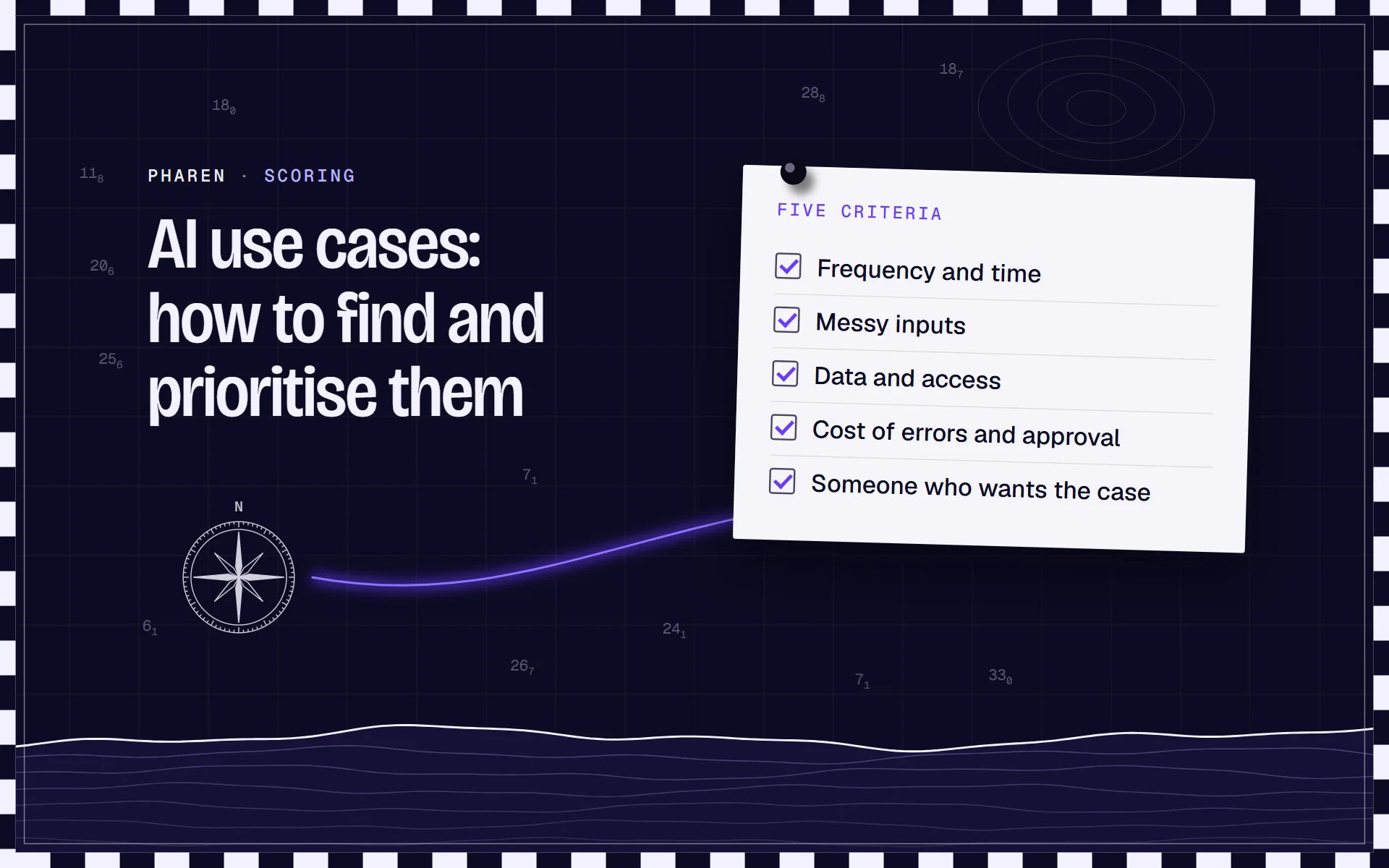
Which five criteria decide the ranking?
The formula says what a case is worth. The criteria say how hard it is to put into practice. Give each criterion 1 to 3 points, with 3 the best.
1. Frequency and time
Does the workflow come up every week, and does each case cost minutes? Something that happens twice a year rarely justifies the effort, even if it takes a whole day each time. 3 points for daily, 1 point for monthly or less often.
2. Messy inputs
AI pays off where inputs arrive without fixed fields: PDFs with changing layouts, emails, free text, notes. If the data already arrives cleanly in fields, fixed rules are often enough. 3 points if a person has to read and understand the input today, 1 point if they only copy values from one program to another.
3. Data and access
Can a workflow reach the data it needs? Does your accounting software or CRM have an interface, are price lists digital, are earlier quotes available as files? 3 points if everything is digital and accessible, 1 point if folders have to be scanned first.
4. Cost of errors and approval
What happens if the AI gets it wrong? A wrongly suggested field that a person sees before approval does little harm. A wrong answer that reaches a customer unchecked does real harm. 3 points if a person can approve before every important step, 1 point if the case only makes sense without a check.
This criterion also rules cases out. AI systems that screen, filter or rate job applicants count as high-risk under Annex III of the EU AI Act, as do systems used for decisions on promotion or dismissal. Such cases do not belong at the start (as of November 2026, not legal advice).
5. Someone who wants the case
Every case needs a person who owns it, answers questions and takes part in the test. Ideally that is the person who does the work today and wants to hand it off. 3 points if this person is already at the table, 1 point if nobody has come forward yet.
What does a scoring matrix look like in practice?
A worked example with open assumptions: an electrical contractor with 25 employees and an hourly cost of €39.60 from the construction sector. The collection round produced five cards. The points come from criteria 2 to 5, because criterion 1 is already in the euro amount.
| Use case | Benefit per month | Points (max. 12) | Decision |
|---|---|---|---|
| Read incoming invoices and assign them to the job (200 × 4.5 min) | about €594, plus cash discounts | 11 | First |
| Prepare quotes from enquiry and price list (60 × 20 min) | about €792 | 8 | Second, after digitising the price list |
| Answer appointment requests by email (400 × 2 min) | about €528 | 9 | Review after the invoices |
| Transfer timesheets (100 × 3 min) | about €198 | 4 | Solve without AI, with digital time recording |
| Pre-sort job applications (30 × 10 min) | about €198 | n/a | Dropped, high-risk under the EU AI Act |
On paper the quotes bring the most money. The invoices still come first, because the data is already digital, an approval before payment is built in and the cash discount comes on top. The price list for the quotes sits in three Excel files with different versions, so it has to be cleaned up before anyone builds on it.
The timesheets show the most common finding of any collection round. The problem is real, and digital time recording solves it for less money than AI would.
Finally, calculate the payback for the first case. With our entry prices, €1,999 paid once for the first agent and €199 a month for support, both plus VAT, and an assumed €50 a month in AI costs, €1,999 ÷ (€594 minus €249) gives just under 6 months, without the cash discount. What the build costs and what the price depends on is described under implementation.
What are the typical mistakes when prioritising?
Most wrong choices in a ranking come from the same six habits.
- The case people talk about most is rarely the most valuable one. Calculate first, then discuss.
- A chatbot on the website is visible and sounds modern. Whether it saves work depends on how many enquiries arrive and what happens to them afterwards.
- “Sales with AI” is an area. Cut it down until a workflow with an input and a result remains.
- Cash discounts, faster replies and duplicates caught before payment are easy to forget, and without them some good cases end up too far down.
- Only people who know the workflow can award the points for data and cost of errors, so score with them in the room.
- Five pilots at once leave each one without enough attention. Run one case, measure it for 30 days, then start the next.
When should you build nothing yet?
Sometimes the right outcome of a ranking is to build nothing. If the best candidate yields only a handful of hours a month, the build costs more than it saves, and you look at the list again in six months. If the data for the top case is still on paper or spread across files with different versions, cleaning it up comes first. And if a fixed rule solves the problem, as with the timesheets above, you do not need a language model at all.
Frequently asked questions about AI use cases
How do I find AI use cases in my company?
Ask the people who do the work what they type up, what they search for and what they wait for, and count for one week. Good candidates come up every week, cost minutes per case and start with PDFs, emails or free text. Typical places are the inbox, incoming invoices, searching, first drafts and checks.
How do you prioritise AI use cases?
By benefit in euros and by effort. The benefit is cases times minutes saved, divided by 60, times the hourly cost, plus additional benefit such as cash discounts. You score the effort with criteria such as data, cost of errors and whether someone owns the case.
Which AI use cases are good for a start?
Workflows with many cases, messy inputs and an approval by a person before the important step. In many companies these are incoming invoices or the distribution of enquiries. Cases in which AI judges people, such as screening job applications, do not belong at the start.
How many use cases should we tackle at once?
One. It runs for 30 days in daily work, and then your own numbers show whether it pays off. The second case goes faster because roles, rules and access are already in place.
What does an AI opportunity analysis cost?
With us, the AI opportunity analysis is a half-day workshop, on site or remote, from €399 plus VAT. The result is a list of your workflows ranked by effort and benefit. We calculate with you whether a case pays off before anything is built.
Summary
Ideas for AI come up in every company, and turning them into a ranked list takes one week of tally sheets, a formula in euros and five criteria. At the top of that list is a case like Hobeck’s invoice workflow at around €1,500 a month or the lead routing at around €4,200 a month. What happens after the choice is described in our guide on how to implement AI in business, and the method behind it in the PHAREN Framework. If you want to rank your list with us, get in touch.