To implement AI in a company, you choose one workflow, rebuild it with AI from the first input to the final result, test it for 30 days in daily work and only then start on the next one. The first workflow takes about 12 weeks from taking stock to the end of the trial, and at Pharen the entry point is a strategy workshop from €399 plus VAT. This guide shows how to implement AI in business in seven stages, with roles, a timeline and a worked cost example.
In many companies the licences are already paid for and a few people write emails with ChatGPT, while incoming invoices, the inbox and quotes run as they did before. Germany’s Federal Statistical Office (Destatis) asked companies that had considered AI in 2025 but were not using it what held them back. 72 percent named a lack of knowledge, 62 percent unclear legal implications and 44 percent problems with the availability or quality of their data.
A fixed route with one workflow at a time addresses all three. The team learns on a real case, the rules are written down before anything is built, and the data is checked in the first stage.
What is an AI implementation?
An AI implementation is finished when a real workflow runs with AI, a person approves at the right points and your own numbers show that it pays off. A workflow here means an input, a series of steps and a result. An invoice arrives and ends up approved in the accounting software. An enquiry arrives and ends up with a team and a follow-up date.
Three things are often confused with it. Switching on ChatGPT or Copilot for everyone introduces a tool, which helps individual people while the workflow changes little. A digitalisation strategy decides which workflows run digitally, and AI builds on it because it needs data it can work with. A strategy paper gives you a plan, and no workflow changes until someone builds it.
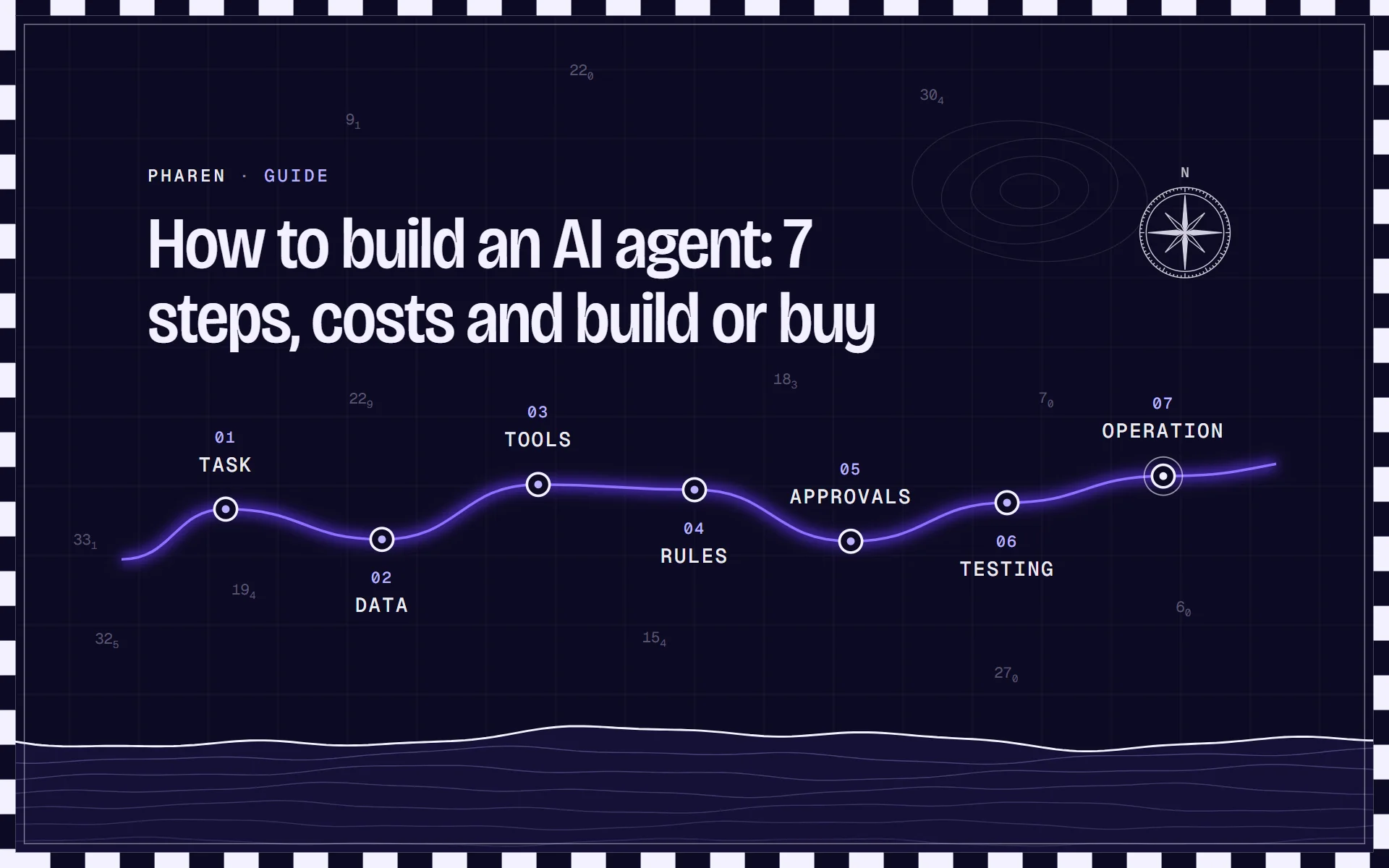
Our method is the PHAREN Framework, six stages from making processes visible to proving the benefit within 30 days. The route below follows it and adds operation as a seventh stage, because a workflow that nobody maintains stops working after the first change in the software around it.
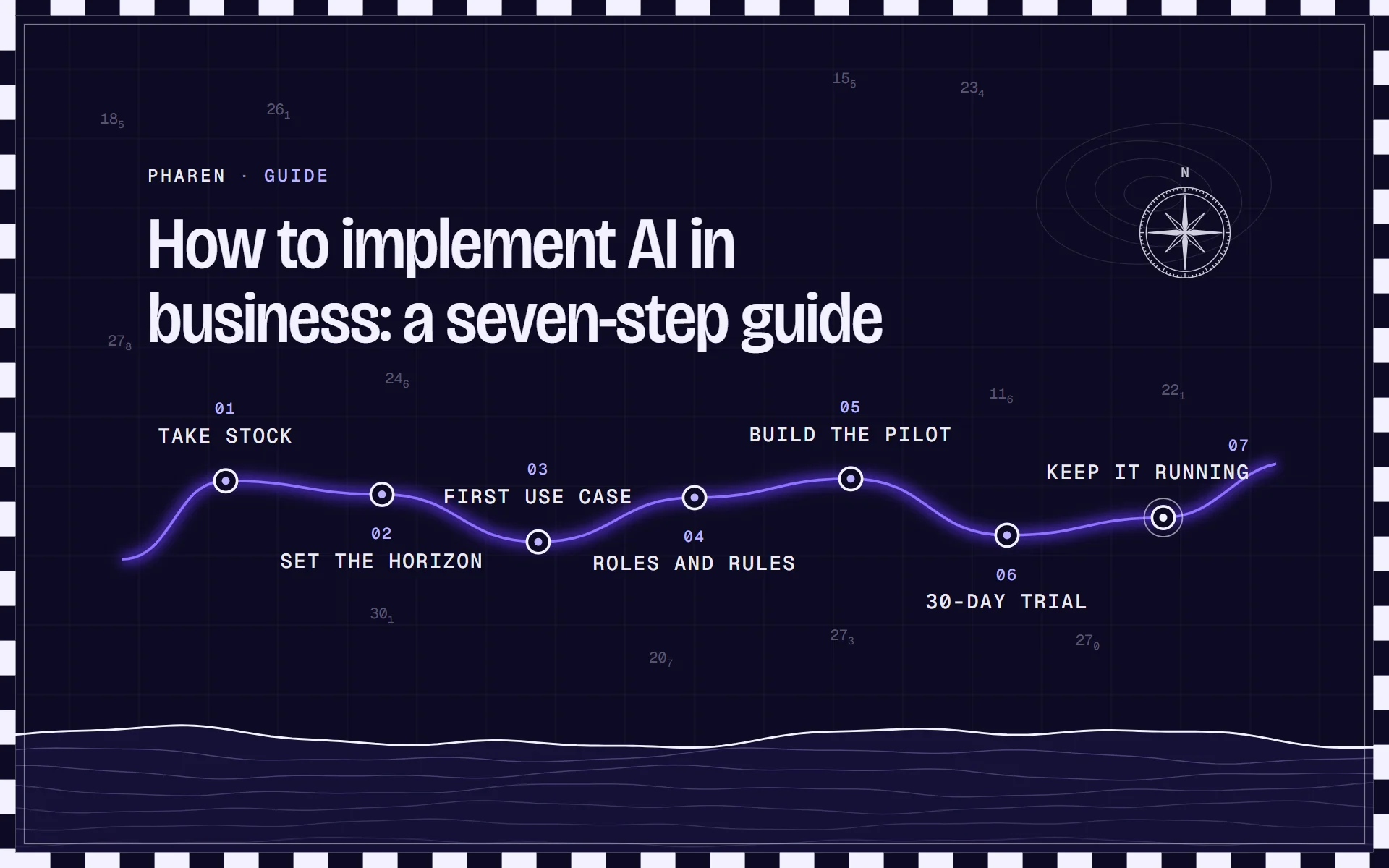
How to implement AI in business in seven stages
Each stage answers one question and ends with one result.
| Stage | Question | Result |
|---|---|---|
| 1. Take stock | Which work costs the most time? | List of workflows with minutes per month |
| 2. Set the horizon | What will customers pay you for in five years? | One sentence on where you are heading |
| 3. First use case | Where do you start? | One workflow with benefit and effort in euros |
| 4. Roles and rules | What may the AI do on its own? | Approvals, data flows, one responsible person |
| 5. Build the pilot | Does the case run from start to finish? | A workflow that runs in your own software |
| 6. 30-day trial | Is it worth it? | 30 days of your own numbers |
| 7. Keep it running | Who keeps it working? | Support, training, the next candidate |
1. Take stock
Sit down with the people who do the work and ask what they type up, what they search for and what they wait for. For every workflow that comes up each week, write down the cases per month, the minutes per case, the software involved and the point where it gets stuck.
At the roofing firm Hobeck, this stage counted around 160 invoices a month at around 5 minutes each, more than 13 hours in total. Almost every invoice raised the question of which job site it belonged to, and the old software had no field for the job site, as the Hobeck case study describes.
2. Set the horizon
The question about the next five years separates the work customers pay you for from the work that only keeps the business running. A roofer is paid for the roof, and checking invoices is side work. AI should start with the side work, so that more time is left for the roof.
The result fits into one sentence, for example “In three years we want to handle twice as many enquiries without a bigger office.” A candidate from stage 1 that nobody will need in five years is not worth rebuilding.
3. First use case
Every candidate gets a benefit and an effort in euros. The basic calculation is cases per month times minutes saved, divided by 60, times the cost of an hour of work. Destatis puts labour costs for 2025 at €45.00 per hour worked on average, €39.60 in construction and €27.40 in hospitality (press release in German).
Good first cases come up often, start with messy inputs such as PDFs or emails, use data you already have and allow a correction before any money moves. Then choose exactly one. How to collect and score candidates is covered in our guide to AI use cases, and we do it with you in the AI opportunity analysis.
4. Roles and rules
Now decide what the AI may do on its own and where a person has the final word. At Hobeck, an agent team reads every invoice and suggests the job site, management approves above a set amount, and nothing is booked or paid automatically. Fix rules like these before the build, so that nobody has to negotiate them during the test.
This stage also covers the data flow: which data goes to which AI model, where it is processed and whether there is a data processing agreement under Article 28 GDPR (Auftragsverarbeitungsvertrag). Write it down on one page, together with the name of the person responsible for the case.
5. Build the pilot
The pilot is a whole workflow, from input to result, in the software you already use. Define the workflow first and choose the tool afterwards. How we build, test and hand over is described under implementation.
A consulting firm with around 800 enquiries a month from 5 channels shows what start to finish means. The workflow gathers all enquiries in one list and checks whether the contact already exists. An agent sorts new enquiries, a rule hands each one to the team for the right region, and every enquiry gets a follow-up date. Before, around 160 enquiries a month got no follow-up, as the lead routing case study shows.
Decide during the build what happens with exceptions. If a required detail is missing, the workflow stops and asks, and values the AI cannot recognise with certainty are flagged for a person.
6. 30-day trial
For four weeks the workflow runs in daily work, and the person who has done the work so far tests it on real cases. Measure what you wrote down in stage 1: minutes per case, time to result, the share of exceptions and how often someone had to correct a suggestion from the AI.
After 30 days there are three honest outcomes: roll it out, improve it or stop it. In the lead routing case, the search per enquiry fell from around 8 minutes to around 1, and the first reply usually went out the same day, where it often took 2 days before.
7. Keep it running
Software gets updates, suppliers change their invoice layout, models are replaced. Someone has to notice errors and adjust the workflow, with us through the support package, internally through a person with fixed hours. The rest of the team now learns the workflow on their own cases, as described in our post on AI training for employees. The second workflow from the list goes faster because roles, rules and access are in place.
Who needs to be involved?
An AI implementation needs one named owner more than it needs special technology. For the first workflow you need the following roles. In small companies, one person can hold two of them.
- Management decides on the use case and the budget and sets the approval rules.
- A process owner takes on the first case and makes the day-to-day decisions.
- The people who do the work today answer questions and test. They know the exceptions that appear in no process description.
- IT or your IT service provider sorts out access, interfaces and data flows. We coordinate with them.
- Data protection checks the data flow and the contracts, internally or through your external data protection officer.
- Implementation builds the workflow, internally or with an agency like us.
How long does the first workflow take?
The plan below applies to a workflow whose data is already digital and whose software has an interface. If the invoices are still on paper in a folder, a stage for digitising them comes first.
- Weeks 1 and 2: take stock with the team, count the minutes, write the horizon sentence.
- Week 3: choose the use case and record its benefit and effort in euros. Management decides.
- Week 4: write down roles, approval rules and the data flow, and request access. This is often where you wait longest for a password.
- Weeks 5 to 8: build the pilot and test it on real, older cases. Whatever gets stuck is fixed.
- Weeks 9 to 12: run the 30-day trial in daily work and look at the numbers every week.
- Week 13: decide whether to roll out, improve or stop. Then comes operation, and the next candidate.
What does it cost to implement AI in a business?
The cost has six items: internal time, strategy, build, support, running AI costs and training. With us, a strategy workshop starts at €399, a first AI agent at €1,999 paid once, support at €199 a month and a training session at €499, all plus VAT. The AI models come on top, billed by usage. If the workflow runs in Pharen Hub, we add 20 percent to the actual AI costs, plus the Hub plan.
The 2026 survey by Bitkom, Germany’s digital industry association, shows where the money goes. Among companies that use AI, 51 percent name infrastructure, cloud or computing capacity as a large cost item, 50 percent data preparation and 41 percent integration into existing systems. Only 21 percent name subscriptions and licences (press release in German). Licences are the smallest of the four items, so a comparison of licence prices says little about the total.
Worked example: when has the first workflow paid for itself?
Assumptions: a workflow with 300 cases a month, 5 minutes per case today and 30 seconds with AI for checking and approval. Labour cost of €45.00 per hour, AI costs of €50 a month and 20 hours of internal time for taking stock, testing and questions. All prices are our entry prices, and your quote can be higher.
| Item | Calculation | Amount |
|---|---|---|
| Time saved | 300 cases × 4.5 minutes | 22.5 hours a month |
| Cost saved | 22.5 hours × €45.00 | €1,012.50 a month |
| One-off costs | €399 workshop, €1,999 agent, €499 training, €900 internal time | €3,797 |
| Running costs | €199 support, €50 AI costs | €249 a month |
| Net benefit | €1,012.50 minus €249 | €763.50 a month |
| Paid back after | €3,797 ÷ €763.50 | about 5 months |
For comparison, a real case. Hobeck saves around 12 hours a month with its invoice workflow, around €475 at €39.60 per hour. Because invoices are now approved within 1 to 2 days, the business also takes around €1,000 a month in cash discounts. A calculation of hours alone misses that second item, so ask about deadlines, discounts and stalled orders in stage 3 as well.
What are the most common mistakes?
Most AI implementations that fail do so at the same points.
Starting without figures from before
If nobody counted the minutes before the pilot, after 30 days you have an impression and no figure to compare it with. Count for one week in stage 1, even with a tally sheet.
Leaving the team out until the end
The person who does the work today knows the exceptions. If that person is missing during the build, the exceptions turn up in the trial, and the workflow looks unreliable when it is only incomplete.
Forgetting operation
An agent without an owner keeps running when a supplier changes its invoice layout, and nobody is assigned to notice the wrong results. Name the person in stage 7 before the trial ends.
When should you not start yet?
If taking stock turns up only a handful of hours a month, the effort costs more than it returns, and the better decision is to wait and look at the list again in six months. If your workflows are still on paper, digitise them first. Workflows in which an AI judges people, for example screening job applications, count as high-risk under Annex III of the EU AI Act and are not suitable as a first pilot.
Frequently asked questions about implementing AI in business
How long does it take to implement AI in a business?
For a first workflow, the plan above takes about 12 weeks: four weeks for taking stock, choosing and setting rules, four weeks of building and a 30-day trial. If the data is not yet digital or interfaces are missing, it takes longer. Every further workflow is faster because roles and rules are already in place.
What does it cost to implement AI in a small business?
With us, the entry point is a strategy workshop from €399, a first AI agent from €1,999 paid once and support from €199 a month, all plus VAT. AI usage and your internal time come on top. In the worked example above, a workflow with 300 cases a month pays for itself after about 5 months.
Do we have to train our employees in AI?
Article 4 of the EU AI Act asks companies to take measures that support their staff’s AI literacy. According to the European Commission’s AI literacy Q&A, no certificate is required, and you can keep an internal record of the measures (as of November 2026, not legal advice). Training sticks best when the team practises on its own tasks.
Is it enough to give everyone ChatGPT?
For individual tasks such as emails or summaries, often yes. In a chat window, AI helps the person who is typing, and the workflow itself changes little. To save time across the company, build AI into a workflow, for example into incoming invoices.
Summary
To bring AI into a company, take one workflow through seven stages, from taking stock to keeping it running, and decide after a 30-day trial on the basis of your own numbers. In the worked example the first workflow pays for itself after about 5 months, and at Hobeck the invoice workflow brings around €1,500 a month. If you want to plan the route for your company, get in touch for a 30-minute first call.