

In short
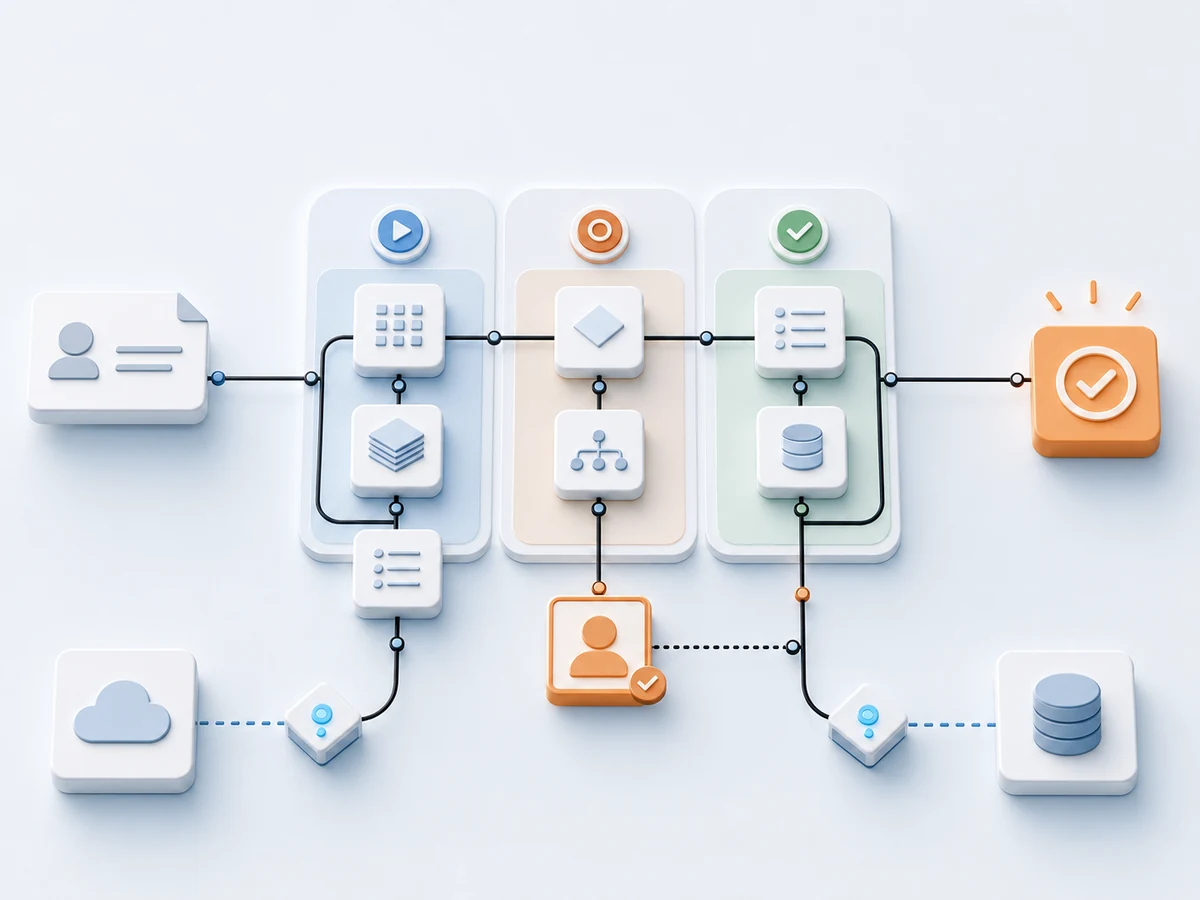
Incoming invoices can be automated with AI in six steps: one intake, capture of supplier, amount and due date, checks for missing information and duplicates, approval by the responsible person, a documented decision, and handoff to accounting or the tax adviser. The AI prepares. Tax review, payment approval and booking stay with people.
Since 1 January 2025, domestic companies in Germany must be able to receive e-invoices, and a plain PDF does not count as one. Pharen IT from Naunhof near Leipzig has documented such an invoice process in Pharen Hub, with five metrics and without a blanket savings promise.
Since 1 January 2025, every domestic company in Germany must be able to receive e-invoices. An email inbox is enough for that, says the Federal Ministry of Finance. That is exactly where the problem starts in many companies: the invoice has arrived, but nobody knows who reviews it, whether it is already in the system, or why it has been waiting for days.
This article shows how small and medium-sized companies automate incoming invoices with AI, which steps the AI takes and which it does not. It is based on our publicly documented incoming invoice process. We are a provider ourselves. Pharen IT is a GmbH based in Naunhof near Leipzig (Leipzig district court, HRB 44633).
What does it mean to automate incoming invoices with AI?
Automating incoming invoices with AI means putting intake, capture, pre-check and handoff of an invoice into one fixed flow in which the AI prepares data and a person decides. It does not mean that software pays or books invoices.
In our documented case, invoices arrived in four ways: as an email attachment, as an upload, as a forwarded message, and sometimes only after someone asked. The record was never in one place. Four questions kept coming back.
- Is this invoice already in the system?
- Who needs to approve it?
- Is a cost center or purchase order missing?
- Has anyone already asked the supplier?
None of these is an AI question. They are questions about place, status and ownership. That is why the project starts with the flow and not with the model.
Which steps does the AI take and which stay with people?
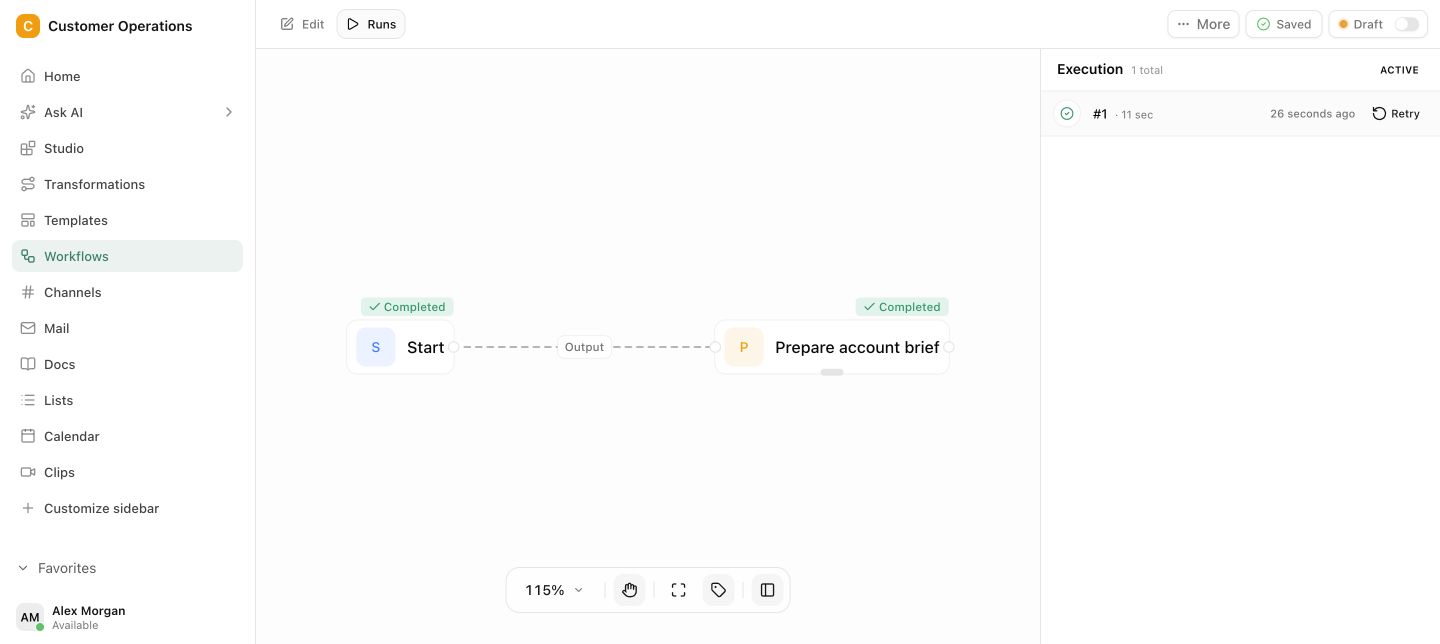
The AI takes the reading and pre-sorting, a person takes every decision. The table shows the six steps of the documented flow.
| Step | What happens | Who acts |
|---|---|---|
| 1. Intake | The invoice arrives through the defined intake for email and uploads and receives a unique process ID. | Automation |
| 2. Capture | Supplier, amount, invoice date and due date are prepared and marked for review. | AI |
| 3. Pre-check | Required fields, possible duplicates and missing assignments become visible. | AI and rules |
| 4. Approval | The responsible person reviews the record and either approves it or asks a question. | Person |
| 5. Documentation | The decision, comment and timestamp stay attached to the record. | Automation |
| 6. Handoff | Only then is the invoice handed to accounting or the tax adviser, with the relevant context. | Automation after approval |
One sentence from the case belongs above every invoice process with AI: automatic capture is preparation, not a booking or payment decision. Unclear values stay visible and have to be confirmed by a responsible person. Tax review, payment approval and booking stay with the people and systems responsible for them.
On top of that comes a reminder when an invoice waits too long. It looks minor and is often the most useful part in daily work.
What does the flow look like day to day?
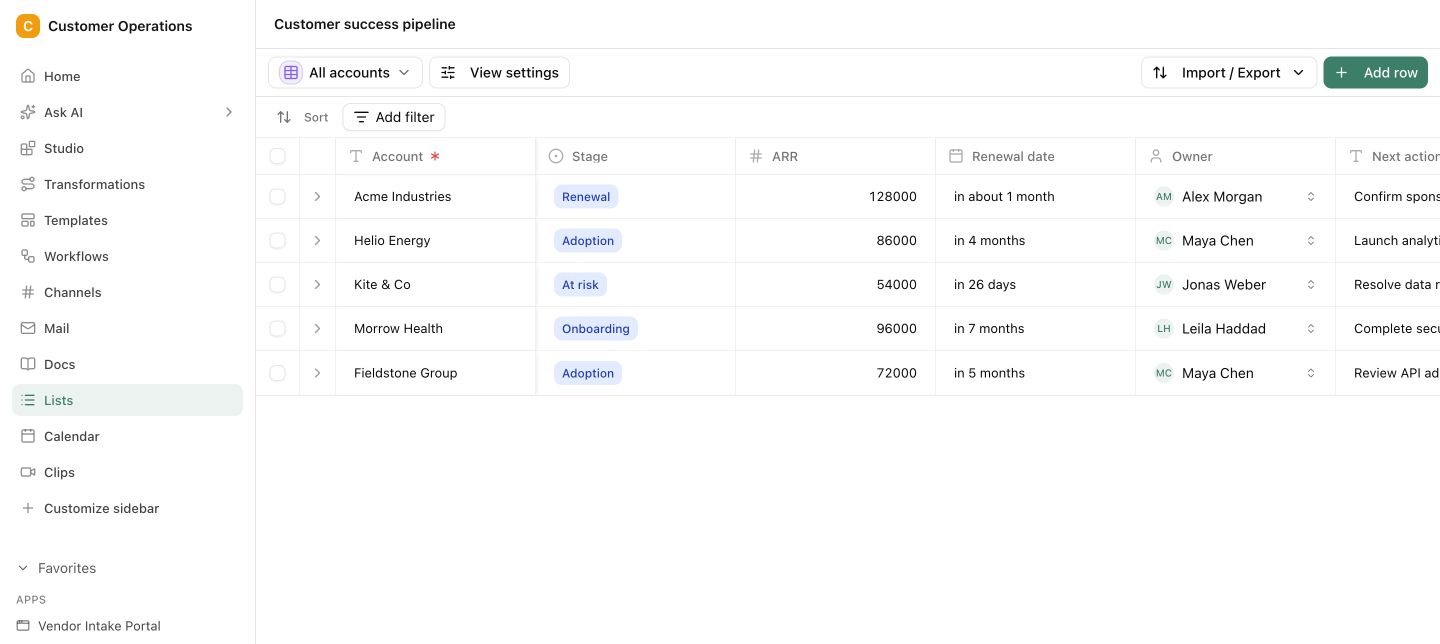
Day to day, the team works on one list with five states: open, in review, waiting for approval, approved, handed off. Nobody searches inboxes any more.
In the morning, one look at the open records is enough. Questions stay attached to the invoice and not in a separate thread. When someone is on holiday, the stand-in sees the status and the history. And when someone later wants to know why an invoice waited, the answer sits on the record and not in three inboxes.
The process takes no decision away from anyone. It shows where an invoice stands and who is next.
What does the German e-invoicing duty change for invoice intake?
The e-invoicing duty has made receiving structured invoices mandatory since 1 January 2025 and phases in issuing them until 2028. The details come from the questions and answers of the Federal Ministry of Finance.
- Receiving. Since 1 January 2025, domestic companies must be able to receive an e-invoice.
- Issuing until the end of 2026. All issuers may still send another kind of invoice instead of an e-invoice.
- Issuing in 2027. Companies with more than 800,000 euros of revenue in the previous year issue e-invoices. Up to 800,000 euros, the deadline extends to the end of 2027.
- From 2028. The duty applies to everyone.
An e-invoice is a structured electronic format under the EN 16931 standard, for example XRechnung or ZUGFeRD. A plain PDF is not an e-invoice.
For intake this means that structured files, PDFs and the occasional paper invoice will arrive side by side for the next few years. A structured format makes reading easier. It does not answer the questions about duplicates, ownership and approval. If you organise the flow now, you do not have to build it under time pressure in 2027. This article is not tax advice. Your tax adviser gives the binding answer.
How do you measure whether the automation pays off?
You measure it with five metrics that come straight out of the process.
- time from intake to first review
- time to approval
- number of overdue open invoices
- share of records with missing required information
- manual corrections after automatic capture
Our documented case deliberately names no blanket saving of time or errors. Reliable values only exist with a defined baseline and a comparison period that is long enough. Whoever promises you a percentage before the first measurement did not get it from your company.
The fifth metric is the most honest one. It shows how often people had to correct the capture, and with that, whether the AI really takes work off the team.
How does a small company start?
A small company starts with one intake, one list and one approval rule, and leaves everything else out at first. In the automation sprint that takes four weeks: process map, build, pilot and review. Your team needs about two to four hours per week.
After that the flow runs in Pharen Hub, an Open Fair-Code AI workspace, in the managed cloud or on your own infrastructure. The article on the AI agency in Leipzig shows invoice intake next to other agency projects. The method behind it is described on the AI process automation page.
Frequently asked questions
Can AI book or pay invoices automatically?
Not in our flow, and that is on purpose. The AI captures supplier, amount, invoice date and due date and marks the values for review. Tax review, payment approval and the booking decision stay with the responsible people and systems.
Is a PDF an e-invoice?
No. According to the Federal Ministry of Finance, an e-invoice is a structured electronic format under EN 16931, for example XRechnung or ZUGFeRD. A plain PDF counts as another kind of invoice.
Since when do companies in Germany have to be able to receive e-invoices?
Since 1 January 2025. Issuing has transition periods until the end of 2026, and until the end of 2027 for companies with up to 800,000 euros of revenue in the previous year. From 2028 the duty applies to everyone.
Does the flow replace accounting software or the tax adviser?
No. The goal was explicitly not a large finance system. The flow ends with the handoff to accounting or the tax adviser, with the relevant context and a traceable approval.
How much time does the automation save?
That depends on your baseline, and we name no blanket figure. Measure the five metrics before you start and compare them after a period that is long enough.
How does the flow detect duplicate invoices?
Possible duplicates become visible in the pre-check, together with missing required fields and missing assignments. Whether it really is a duplicate is confirmed by the responsible person.
The invoice that has been waiting for days still exists after the project. The difference is that it sits on the list, with a name, a status and a reminder. If you want to organise your invoice intake this way, talk to us.
