

The same questions, every day
Forgot my password, got the invoice twice, how do I export the list? The team has answered most requests many times. In between sits the one bug that has to be fixed today.
In Pharen Hub an agent sorts first. What is in the help articles, it answers in a draft. What is urgent reaches engineering right away.
How it runs in Pharen Hub
-
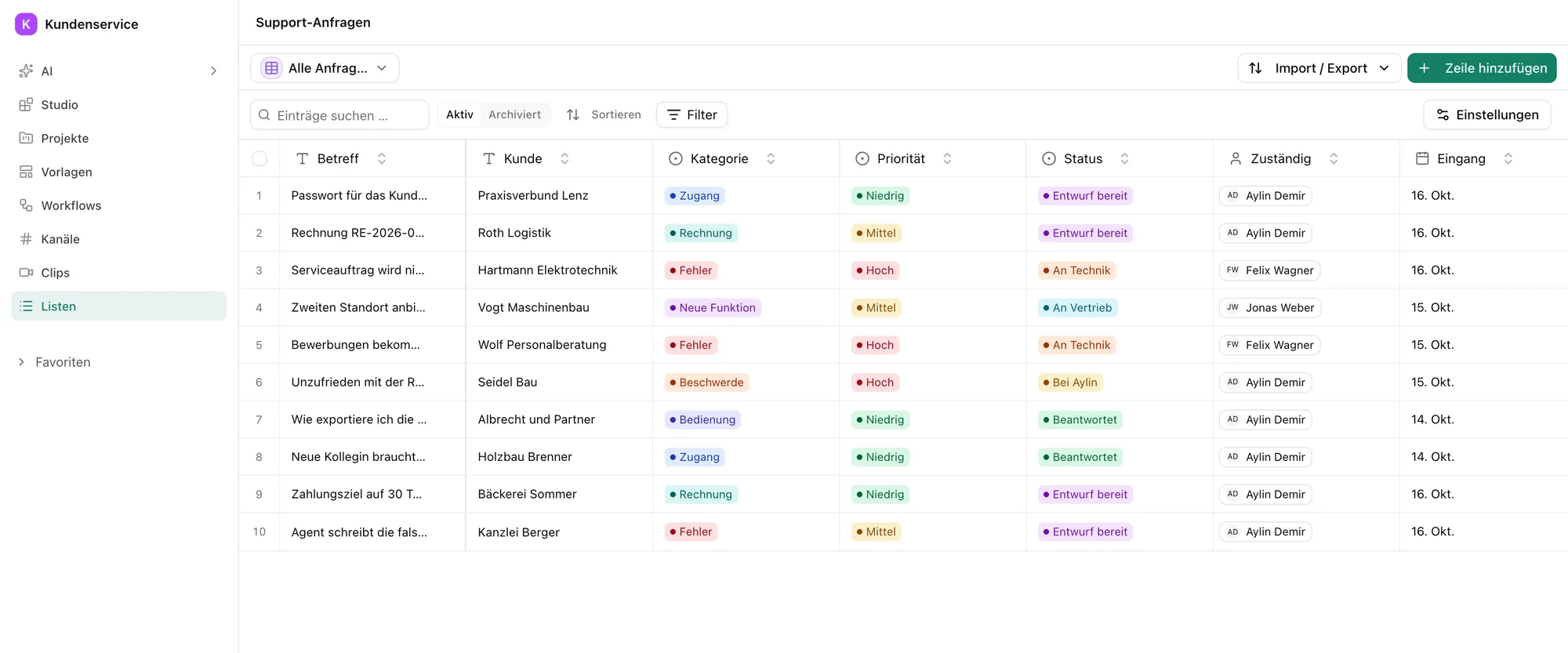
Step 1: Every request lands in one list
Requests from the inbox and the customer portal become rows in the support requests list. The board shows what is new, what waits as a draft and what sits with engineering.
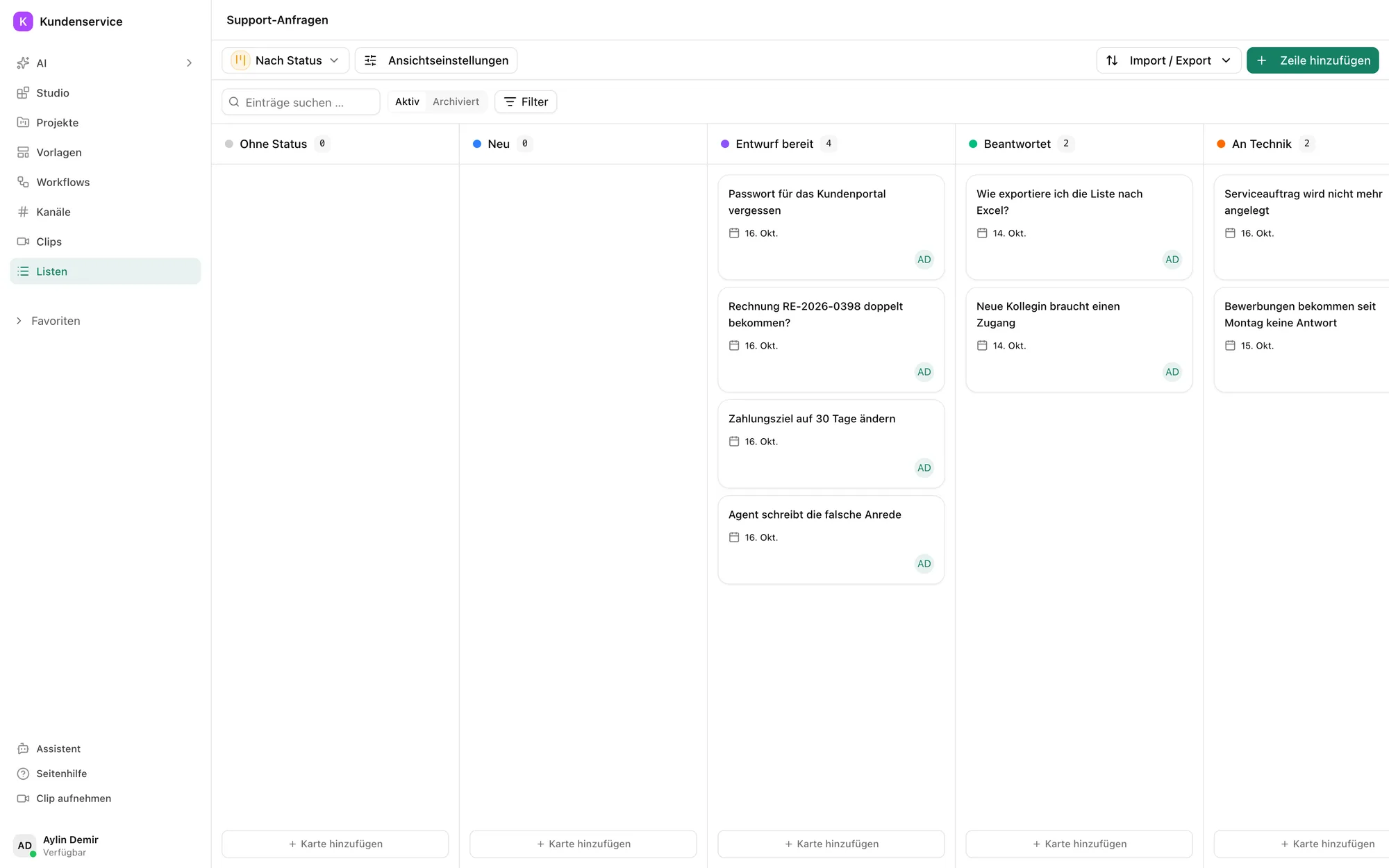
The requests by status, from new to with engineering. -
Step 2: An agent sorts and drafts
The agent reads the message, sets category and priority and searches your help articles. If one fits, it drafts the reply.
Below the draft it names the article the answer comes from.
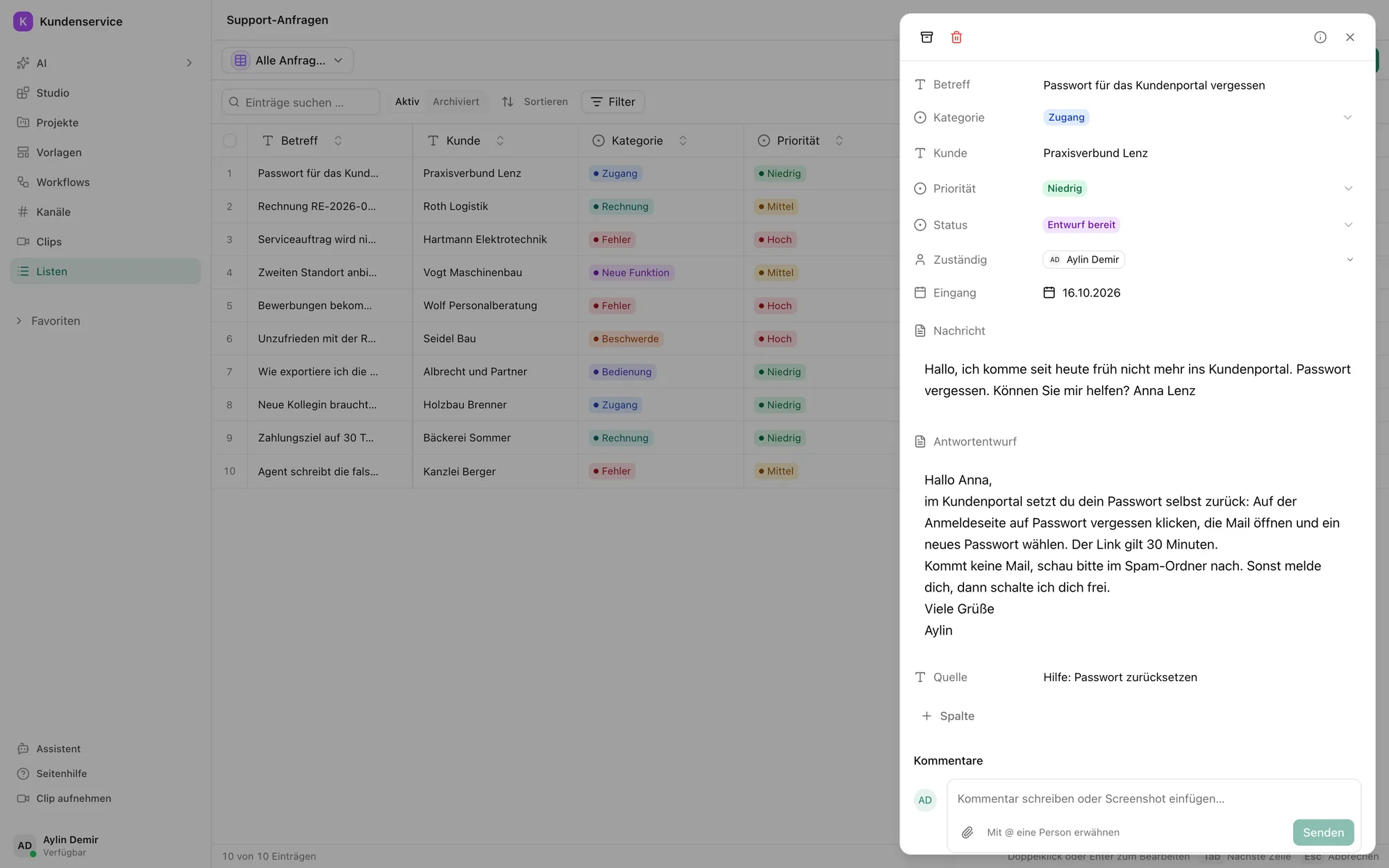
A request with a reply draft and the help article it comes from. -
Step 3: It only answers with your knowledge
The agent only knows the help articles you give it. If no article fits, it writes no draft.
So no reply contains anything you did not write yourselves.
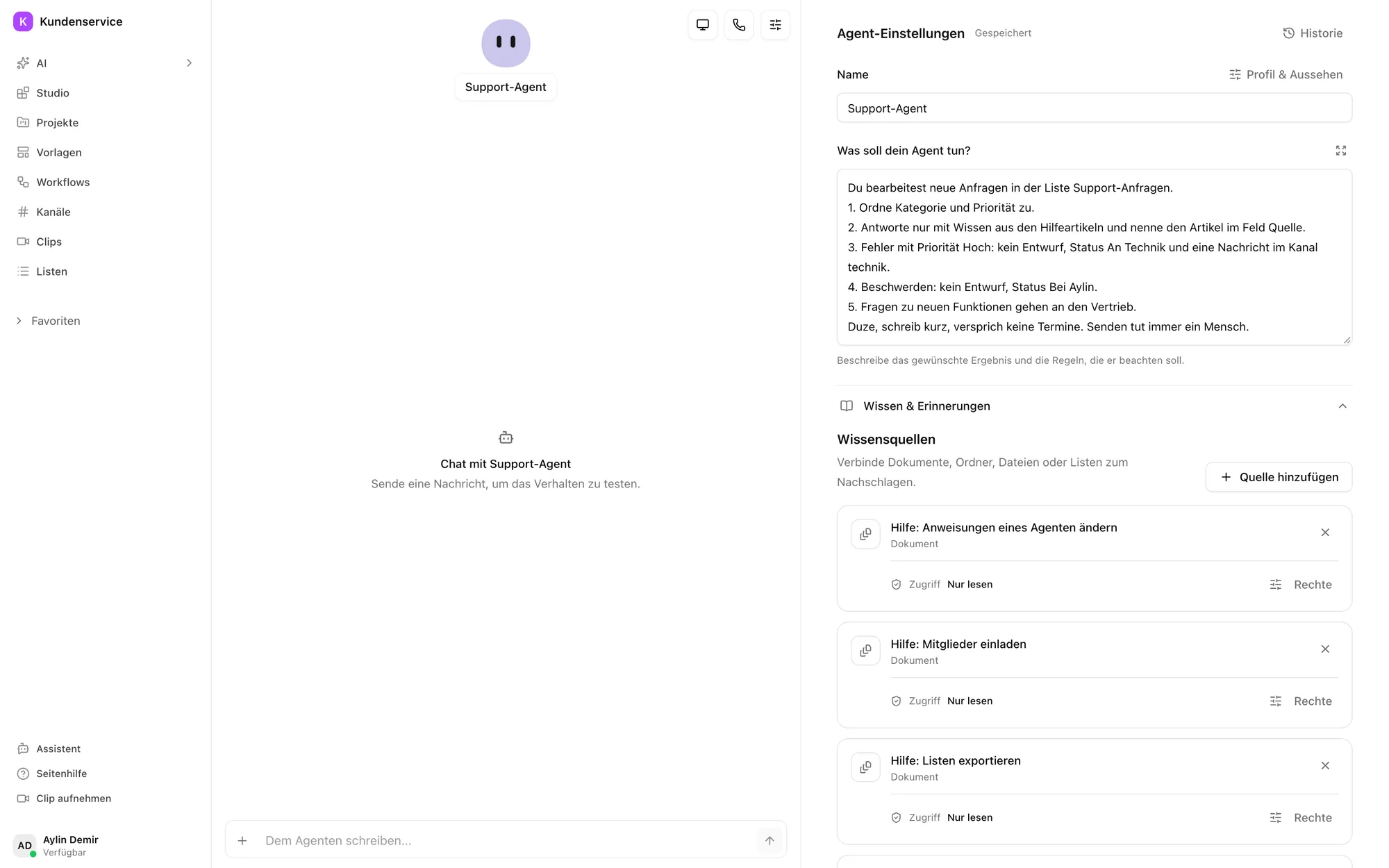
The agent's knowledge sources: your help articles, read only. -
Step 4: A workflow routes
High-priority bugs go to the engineering channel. Complaints go to a person in support, questions about new features to sales.
Everything else waits as a draft for approval.
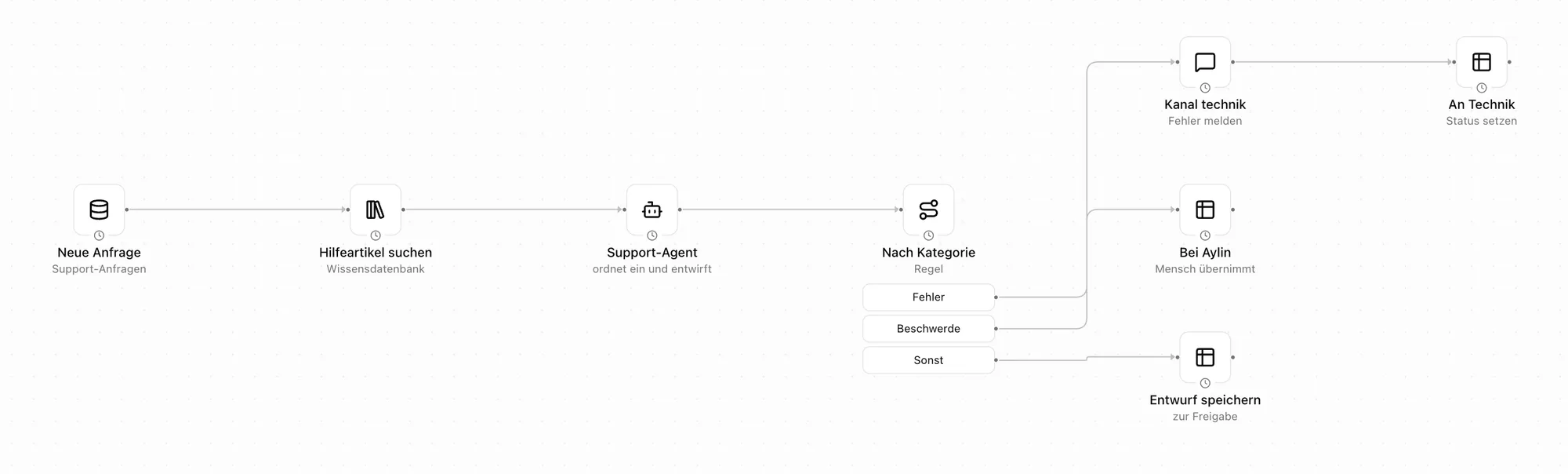
Search the help articles, sort, then three paths: engineering, a person or a draft. -
Step 5: Engineering sees bugs right away
In the engineering channel the agent reports the bug with customer and urgency. Engineering replies in the thread, and everyone sees when it is fixed.
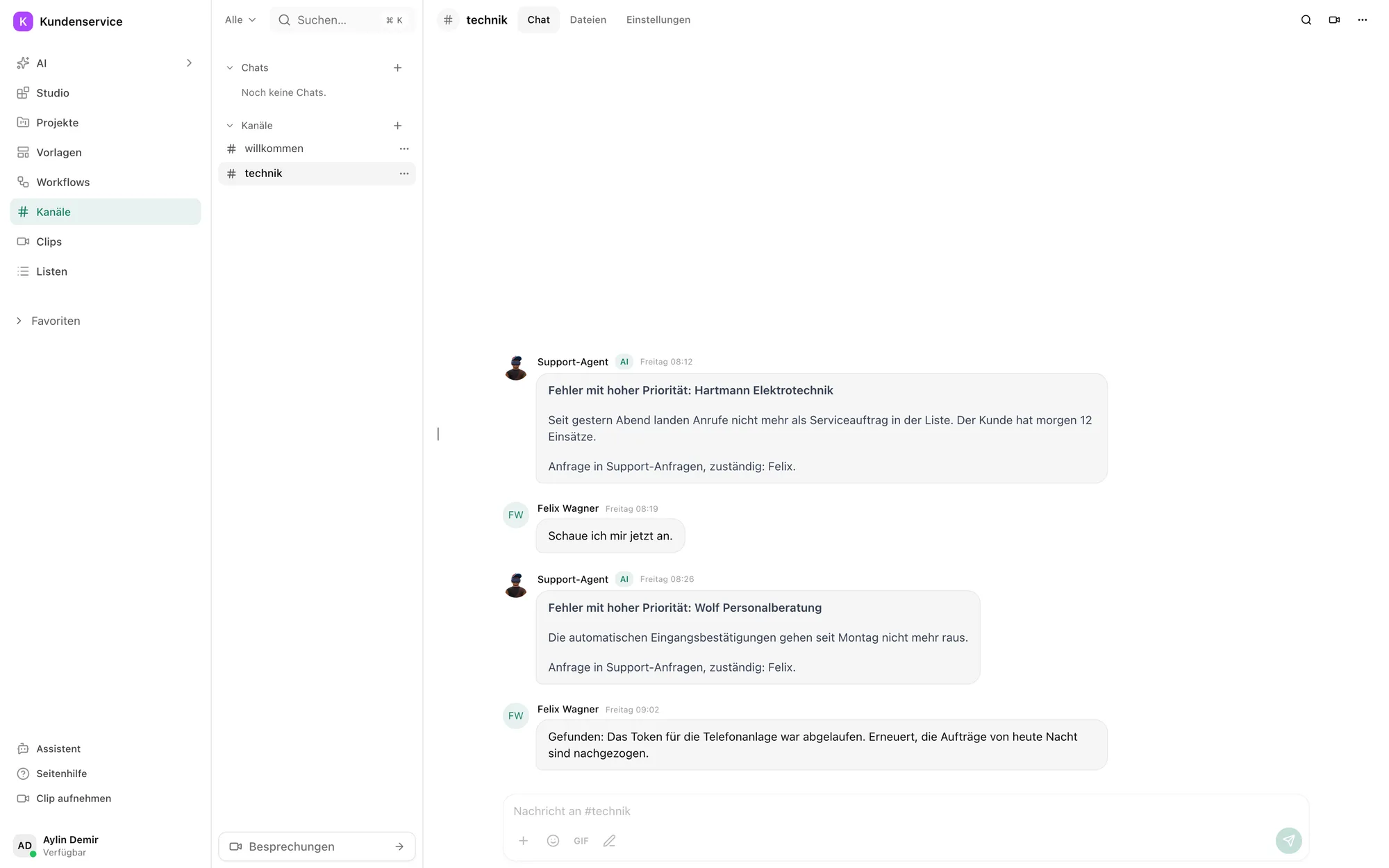
The agent's bug reports in the engineering channel, with engineering's replies.
What the agent does not do
It sorts and drafts. Your team talks to customers.
More use cases
Questions about AI customer support
Mostly for the first sorting and for replies to common questions. In Pharen Hub an agent sorts every request, drafts replies from your help articles and passes bugs to engineering.
It only uses the help articles you give it and names the article as its source. If none fits, it writes no draft.
From an inbox, a form or your customer portal. A workflow adds a row to the list for every request.
Not in this setup. It puts the draft in the request and a person in support sends it.
Pharen runs the Hub on Hetzner Cloud in Germany. On request it runs on your own servers.
What are your plans for AI? Let's talk about it.
Whether it is strategy, training or delivery, you talk to our founder Johannes for 30 minutes. There is nothing to prepare.

We have already worked with more than 50 clients.
How the call works