

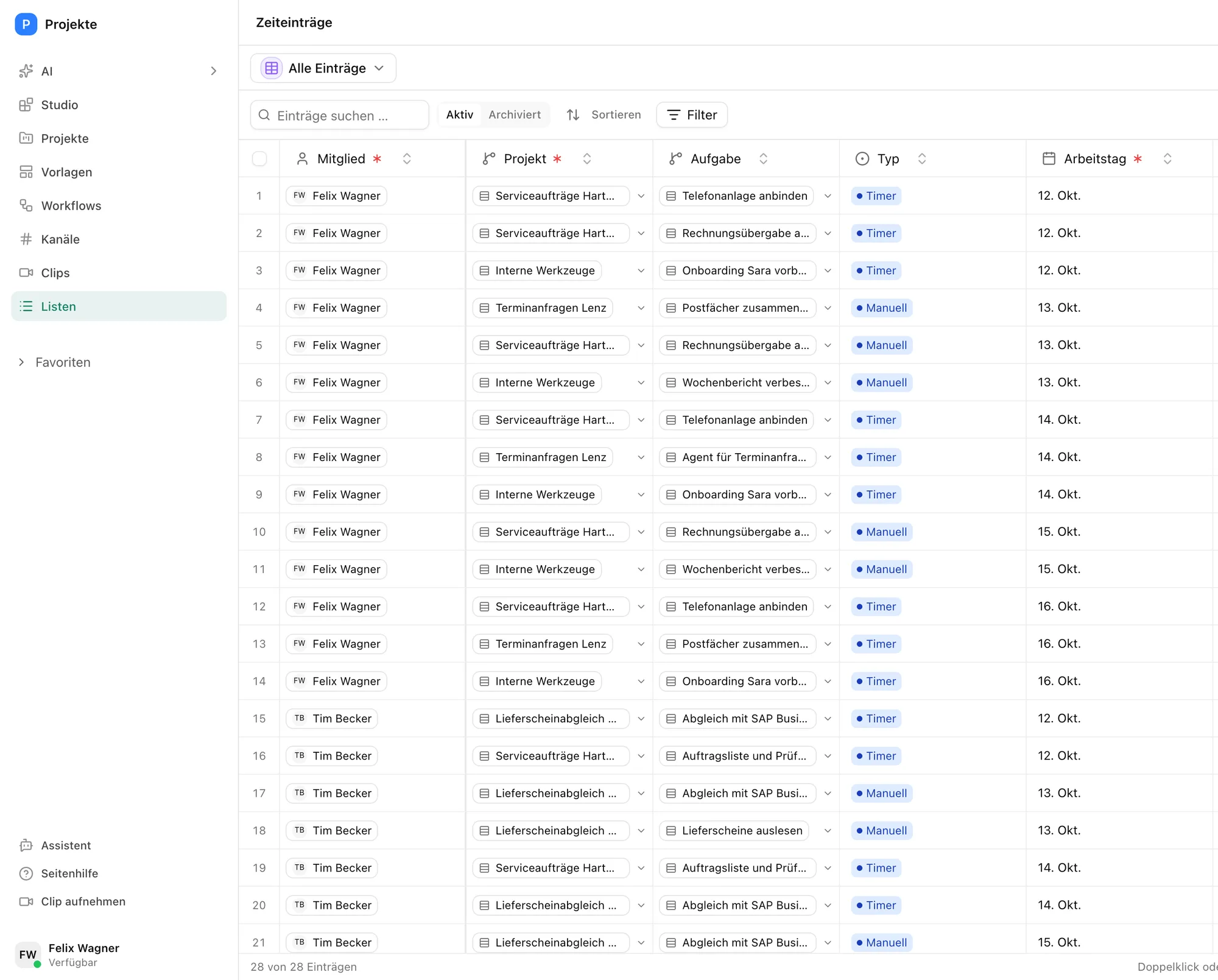
At month end the hours are missing
Who did what for which client is spread across calendars, notes and people's heads. At month end the project lead chases it, and the invoice waits.
In Pharen Hub you log time where the task lives. Billing then means looking at one list.
How it runs in Pharen Hub
-
Step 1: Projects and clients in one place
Clients, projects and tasks are linked lists. Every project has a client, a project lead and a time frame.
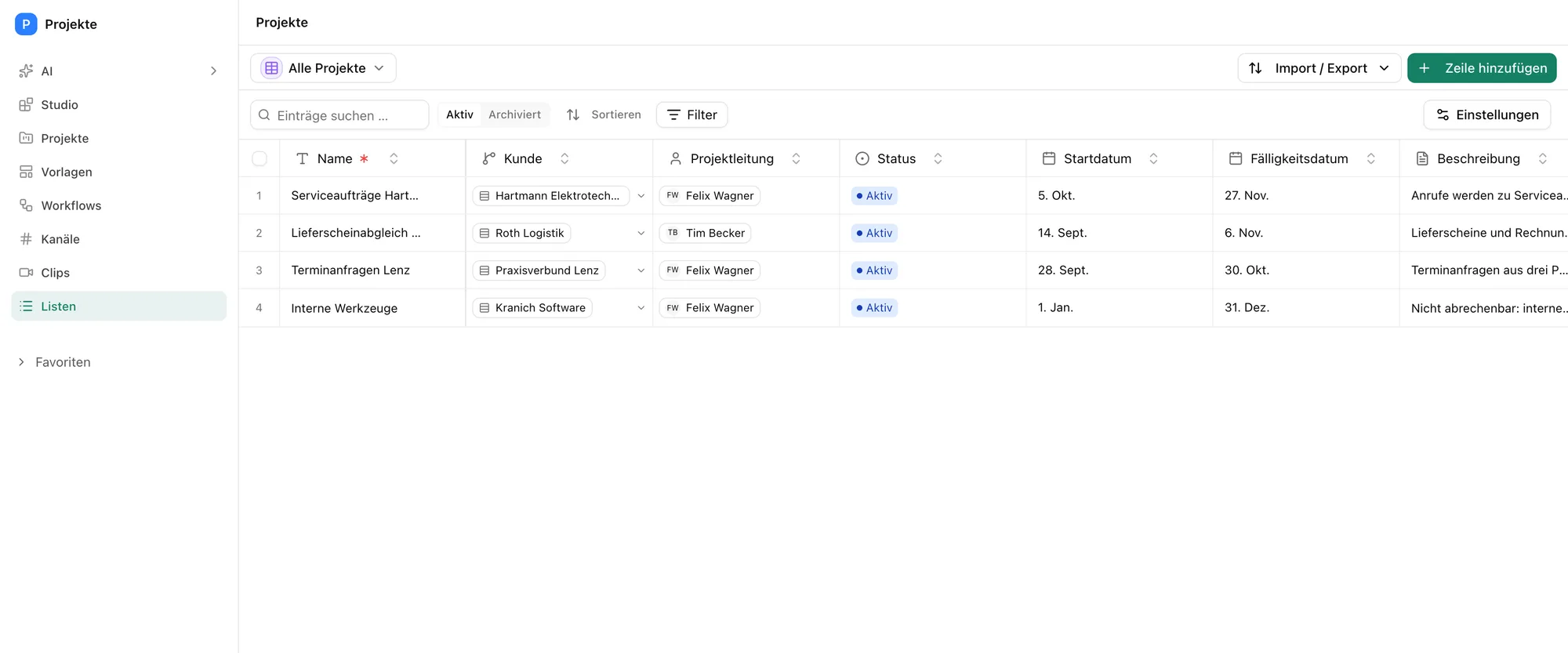
The projects with client and project lead. -
Step 2: The team logs against tasks
You log time with the timer or by hand, always against a project and a task. A short note says what was done.
The board shows which tasks are open, in progress or blocked.
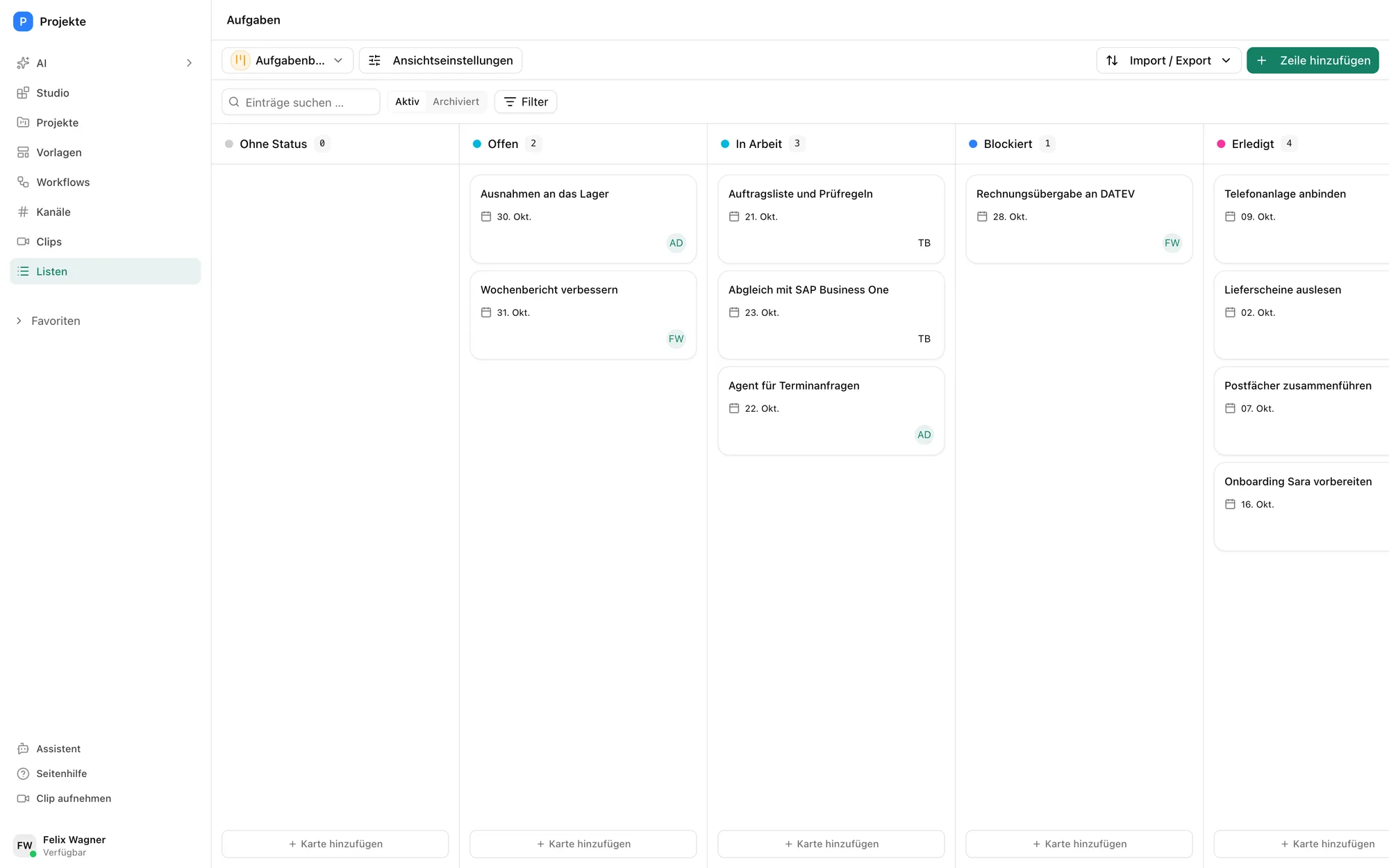
The tasks by status, one of them blocked. -
Step 3: A workflow reminds about gaps
Every weekday at 4 pm a workflow checks who has logged nothing today and reminds them in the projects channel. It reports blocked tasks in the same channel.
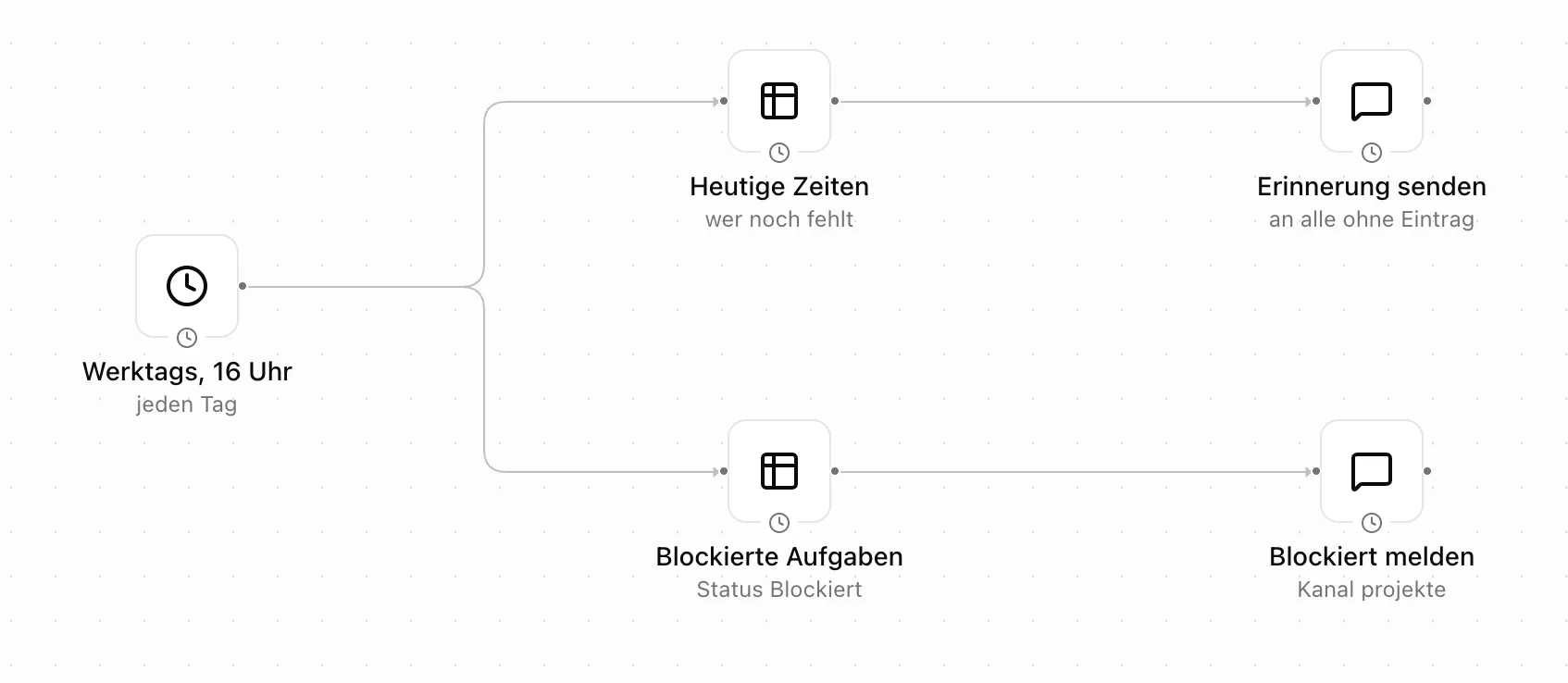
One schedule, two lists and two messages. -
Step 4: The journal does the billing
For every entry the billing journal multiplies the billable minutes by the project's hourly rate. Internal time is tracked but not billed.
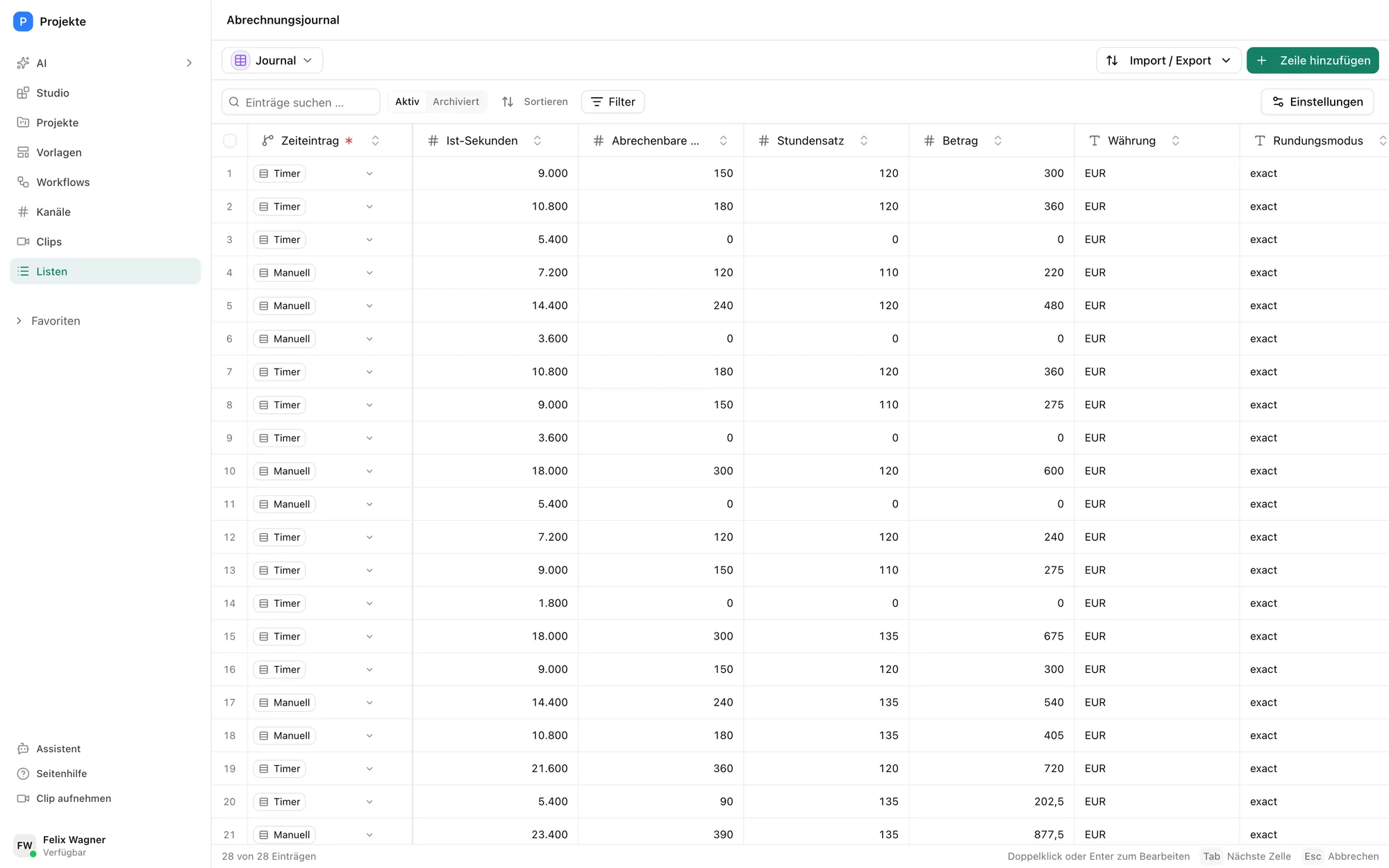
The billing journal with rate and amount per entry. -
Step 5: A ready-made template in the Hub
Lists, workflows, a playbook and an app for logging time come with Pharen Hub as the project time tracking template. You install it and adjust fields and rates.
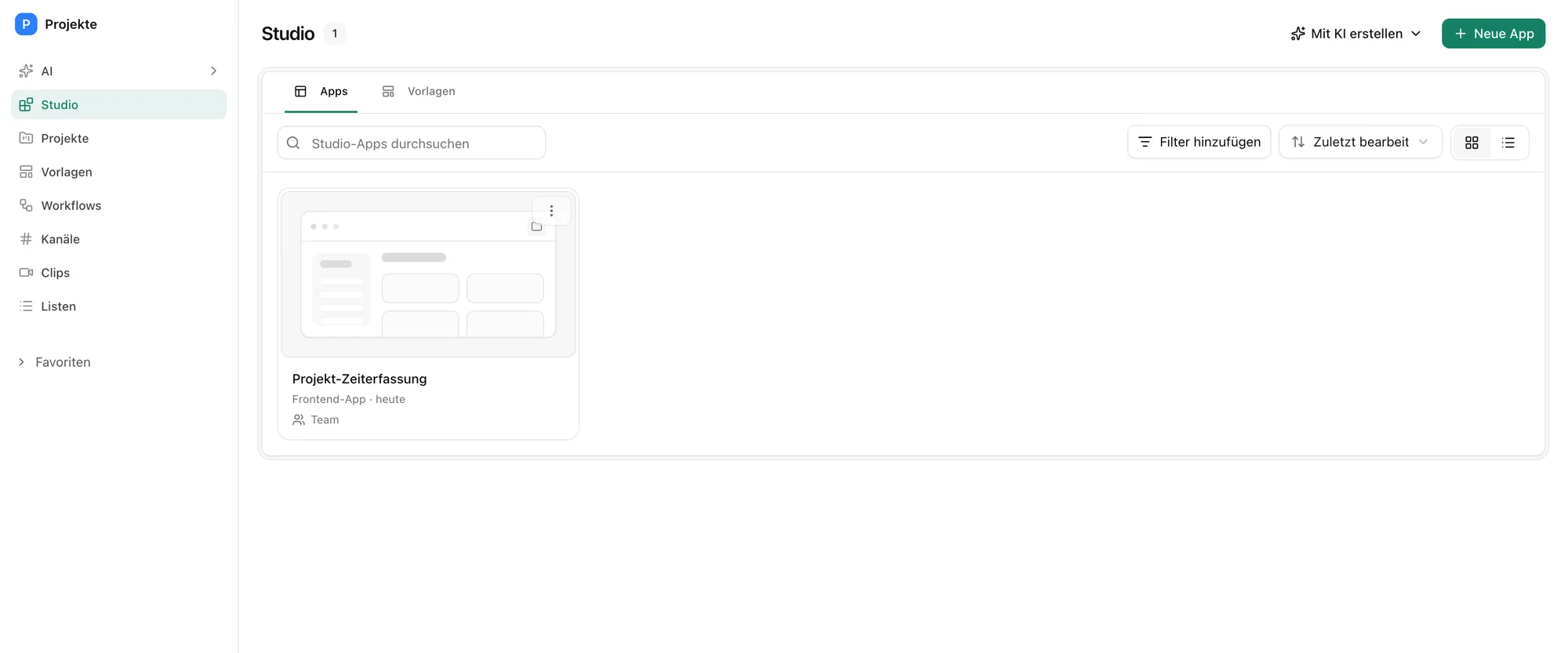
The project time tracking app, installed from the template.
What you decide
The template does the maths. You decide what gets billed.
More use cases
Questions about project time tracking
Logging working time against clients, projects and tasks, so you see where the time goes and can bill it. In Pharen Hub you do it with the project time tracking template.
Yes. You log with the timer or enter the time by hand afterwards.
Yes. In the billing settings you choose between exact and quarter hours.
The billing journal shows amount and hours per entry. Via import and export you hand it to your accounting as an Excel or CSV file.
Pharen runs the Hub on Hetzner Cloud in Germany. On request it runs on your own servers.
What are your plans for AI? Let's talk about it.
Whether it is strategy, training or delivery, you talk to our founder Johannes for 30 minutes. There is nothing to prepare.

We have already worked with more than 50 clients.
How the call works