

On Mondays someone gathers numbers
Sales has its list, accounting its open invoices, support its tickets. For the weekly report someone copies from all of them into a spreadsheet, and by the time it is done, half of Monday is gone.
In Pharen Hub those lists already sit in one place. A workflow reads them and an agent writes the report.
How it runs in Pharen Hub
-
Step 1: The workflow starts every Monday
A schedule starts the workflow every Monday at 8 am. It reads last week's enquiries, deals, open invoices and support tickets and passes the numbers to the agent.
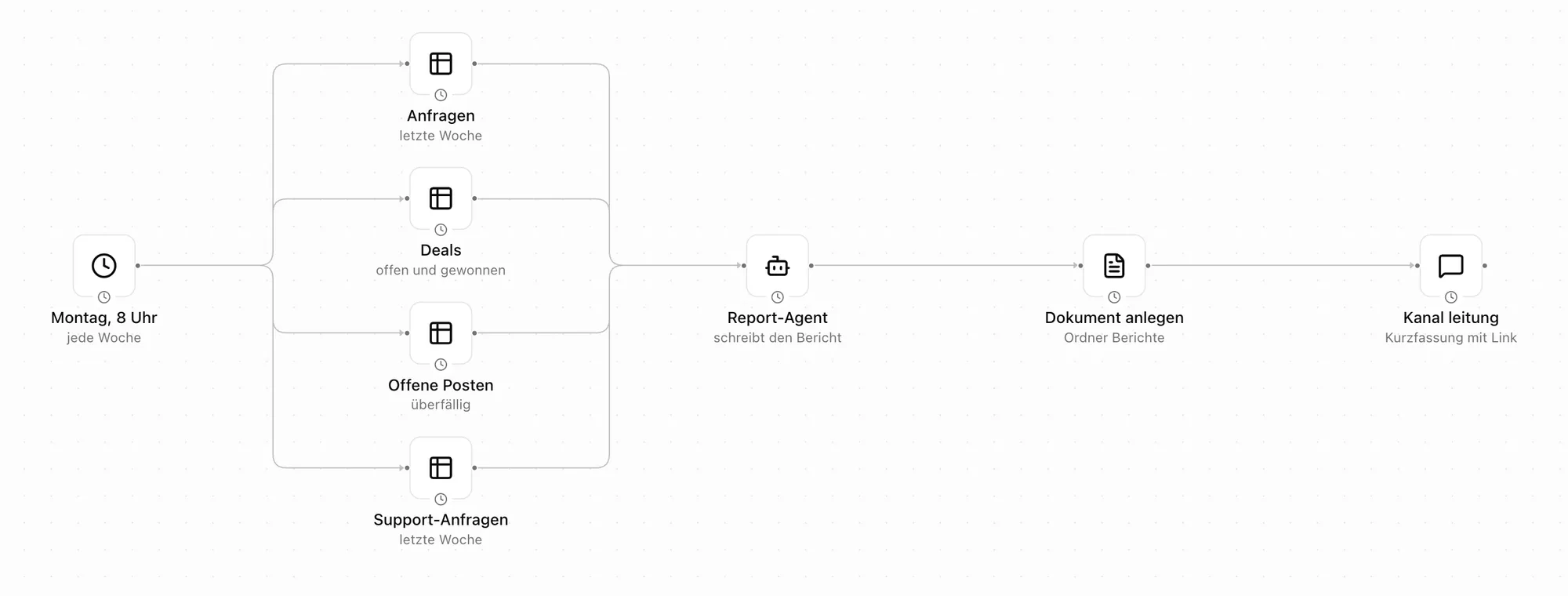
One schedule, four lists, one agent, one document and one message. -
Step 2: An agent writes the report
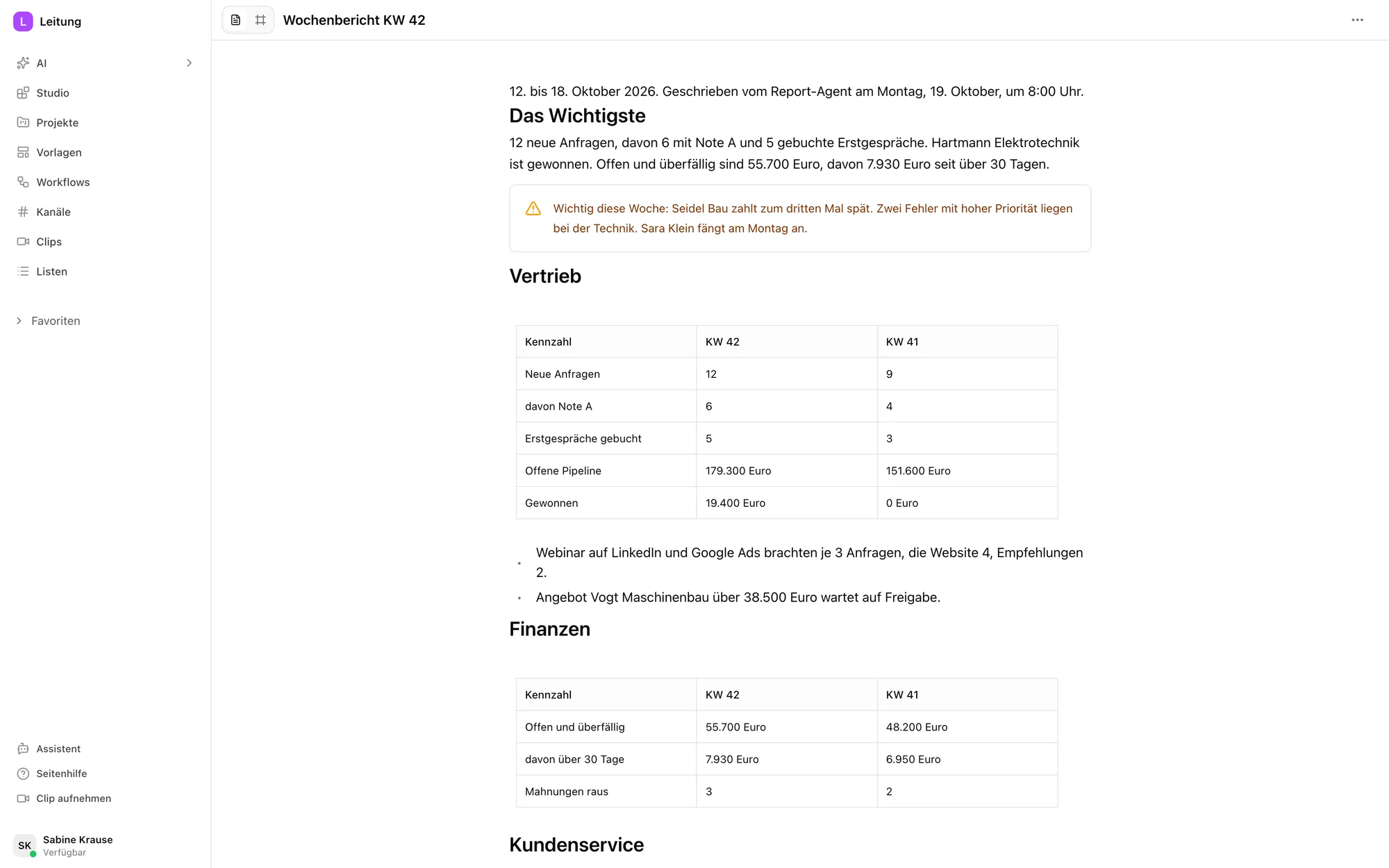
The agent starts with the key points in three sentences. Then comes one section each for sales, finance, support, projects and team, with last week's numbers next to them.
Under Important this week it lists at most three points that need a decision.
-
Step 3: You decide what goes in
Structure, metrics and tone are written in the agent's instructions in plain words. If a number is missing, you add a line.
One rule stays: the agent never extrapolates and only judges what the numbers show.
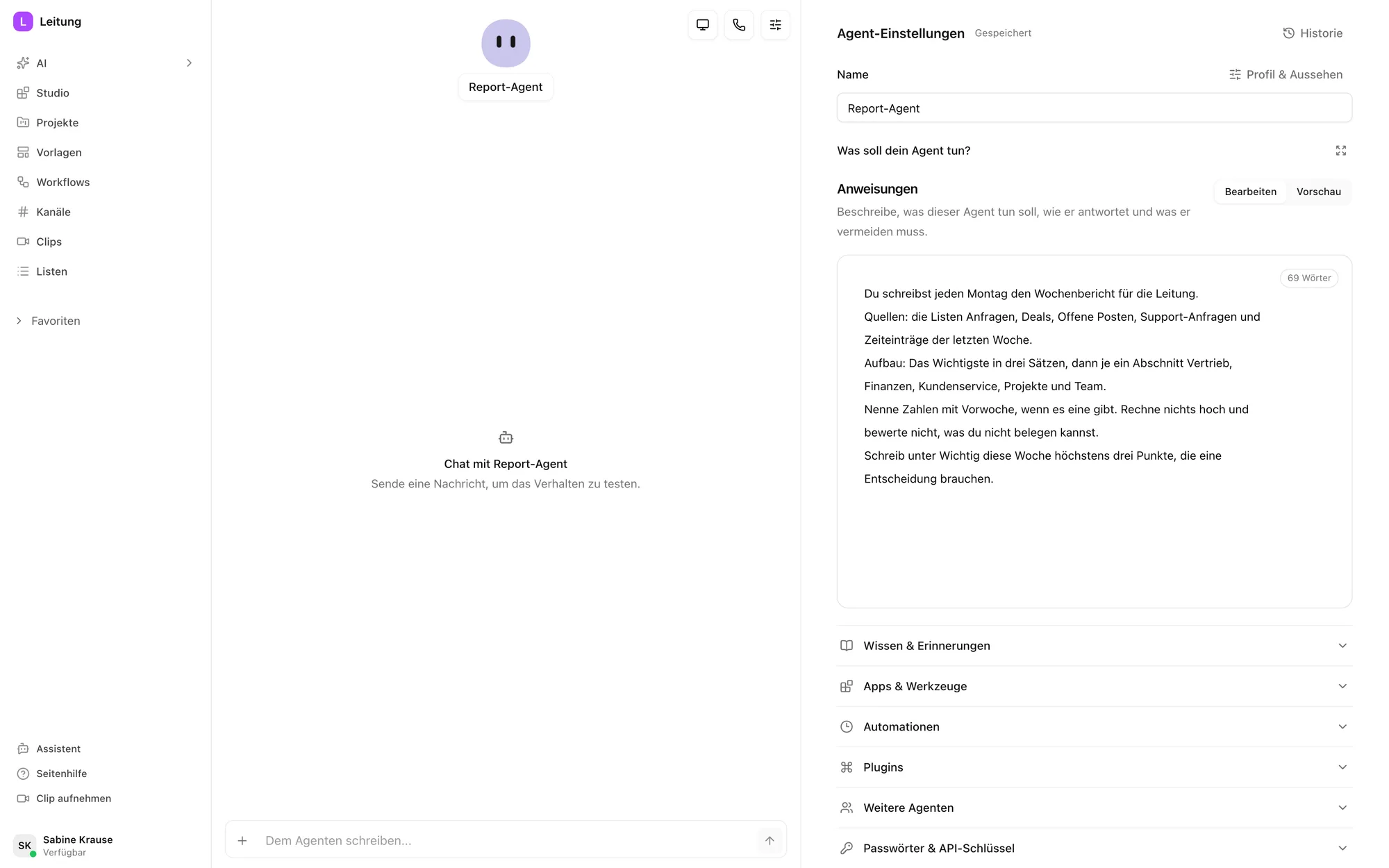
The agent's instructions. On the right you can test it. -
Step 4: Leadership gets it in their channel
The report is saved as a document in the reports folder. A short version with a link appears in the leadership channel.
Leadership discusses the points right there in the thread instead of in another email.
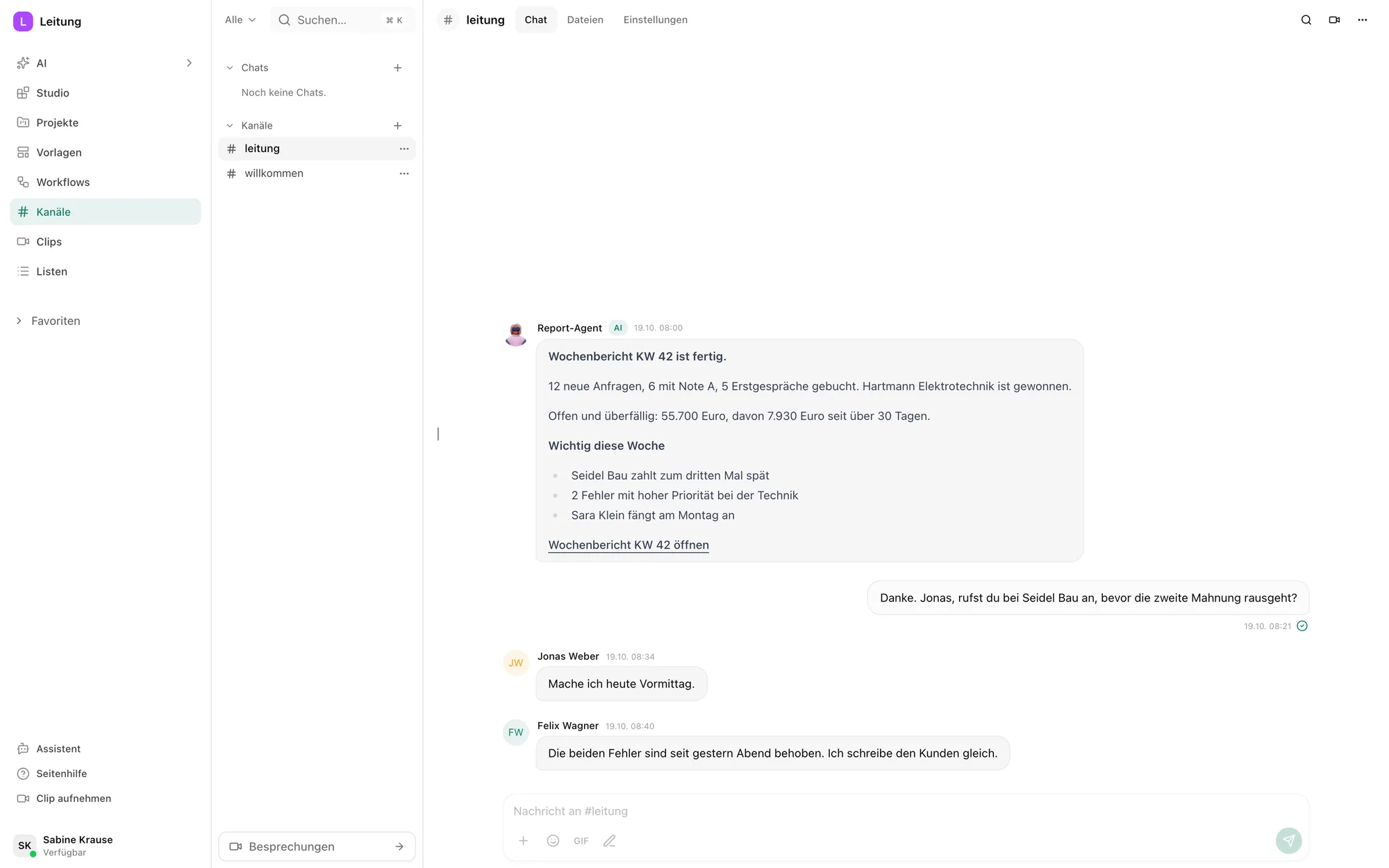
The short version in the channel, with the team's replies below.
What the agent does not do
It summarises. Leadership makes the decisions.
More use cases
Questions about the weekly management report
A short weekly summary of the numbers leadership needs to decide: sales, finance, support and projects. In Pharen Hub an agent writes it every week from your lists.
Any list in Pharen Hub the agent has access to. Through the integrations it can also include sheets from Excel or Google Sheets.
Yes. You change the structure in the agent's instructions and the timing in the workflow's schedule, for example daily or once a month.
Whoever has access to the reports folder and the leadership channel. You set both.
Pharen runs the Hub on Hetzner Cloud in Germany. On request it runs on your own servers.
What are your plans for AI? Let's talk about it.
Whether it is strategy, training or delivery, you talk to our founder Johannes for 30 minutes. There is nothing to prepare.

We have already worked with more than 50 clients.
How the call works