

The reminder nobody wants to write
An invoice has been open for three weeks. Accounting should send a reminder, sales does not want to upset the customer, and for now nothing happens.
In Pharen Hub a suggestion is ready every morning: which level, which text, and whether sales should know first.
How it runs in Pharen Hub
-
Step 1: All open invoices in one list
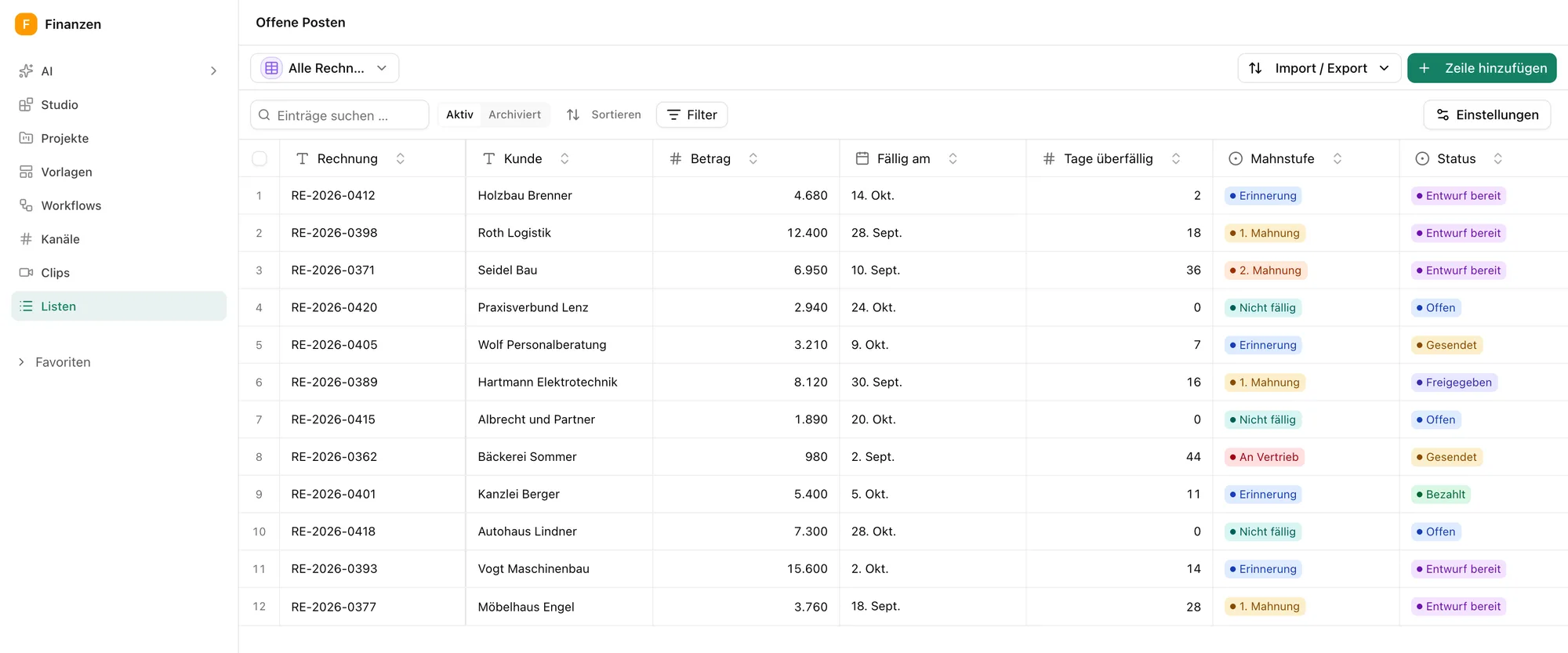
Every outgoing invoice sits in the open invoices list, with amount, due date and how the customer usually pays. The board sorts them by dunning level.
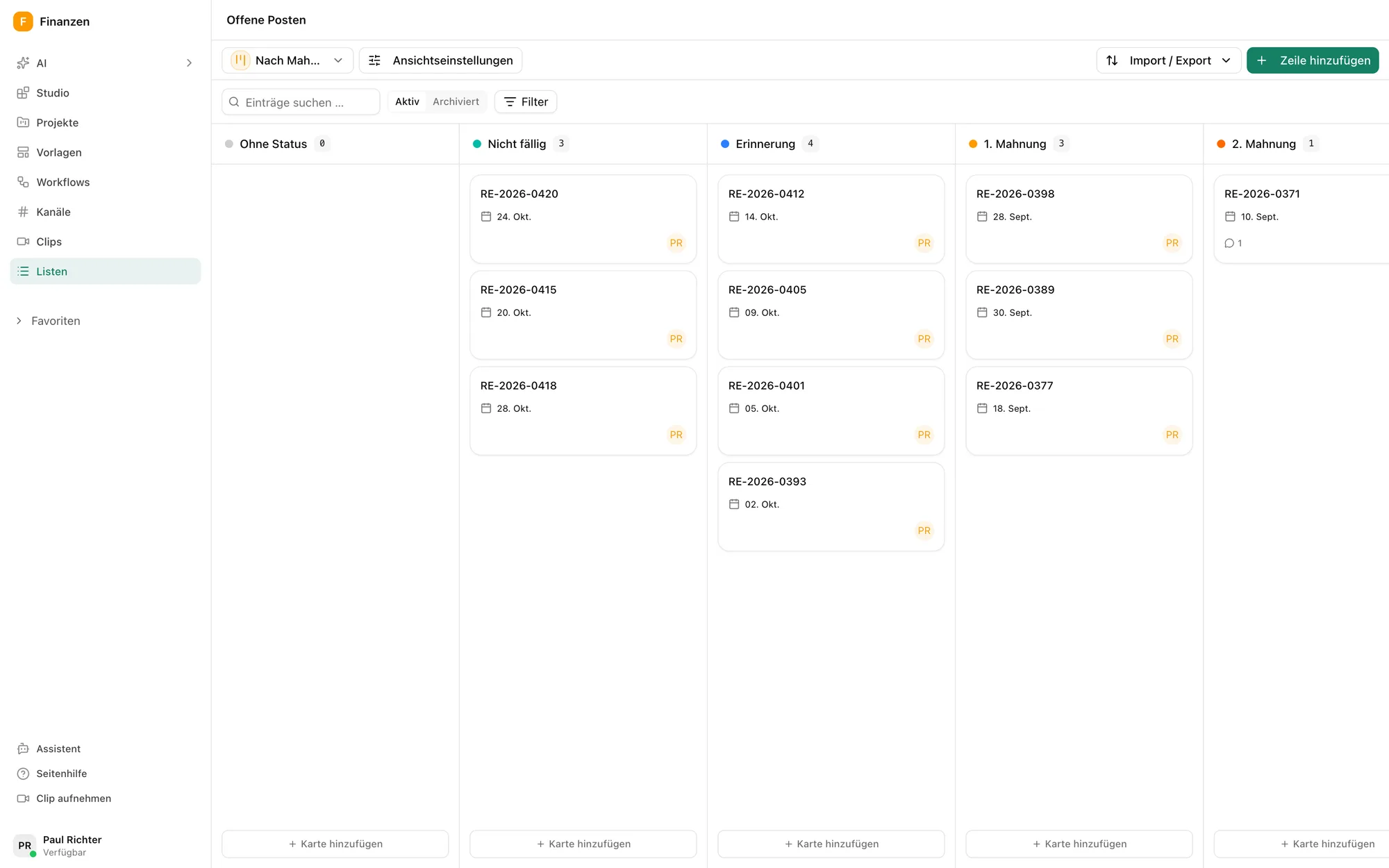
The open invoices by dunning level. -
Step 2: Every morning at 7 am
A schedule starts the workflow every weekday. It loads the due invoices and passes them to the agent. If a customer often pays late, it also sends a message to sales.
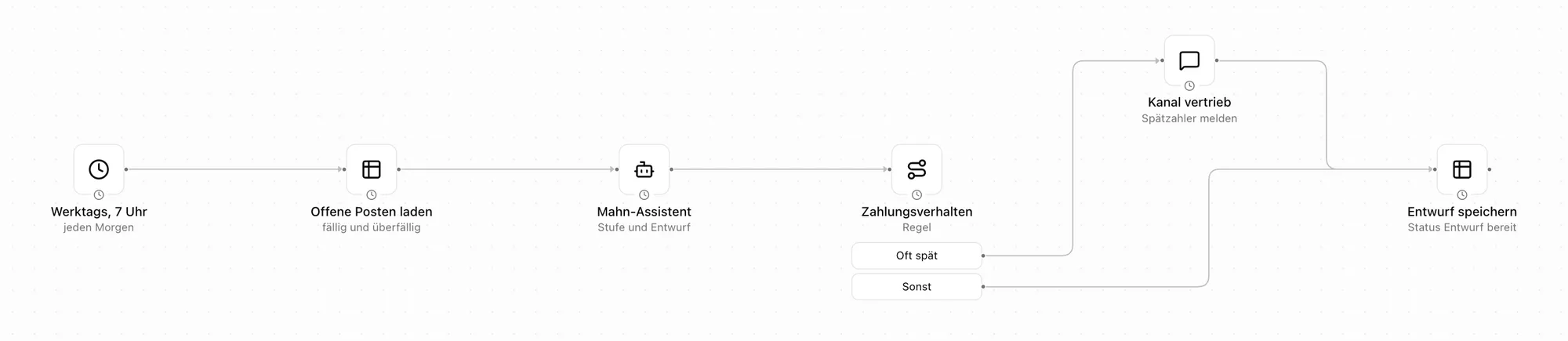
Schedule, list, agent and a rule for customers who often pay late. -
Step 3: The agent suggests level and text
Up to 14 days a friendly reminder, up to 30 days a first notice, after that a second notice that offers a payment plan.
It writes the text in your tone and saves it with the invoice, with a short note on why it suggests this level.
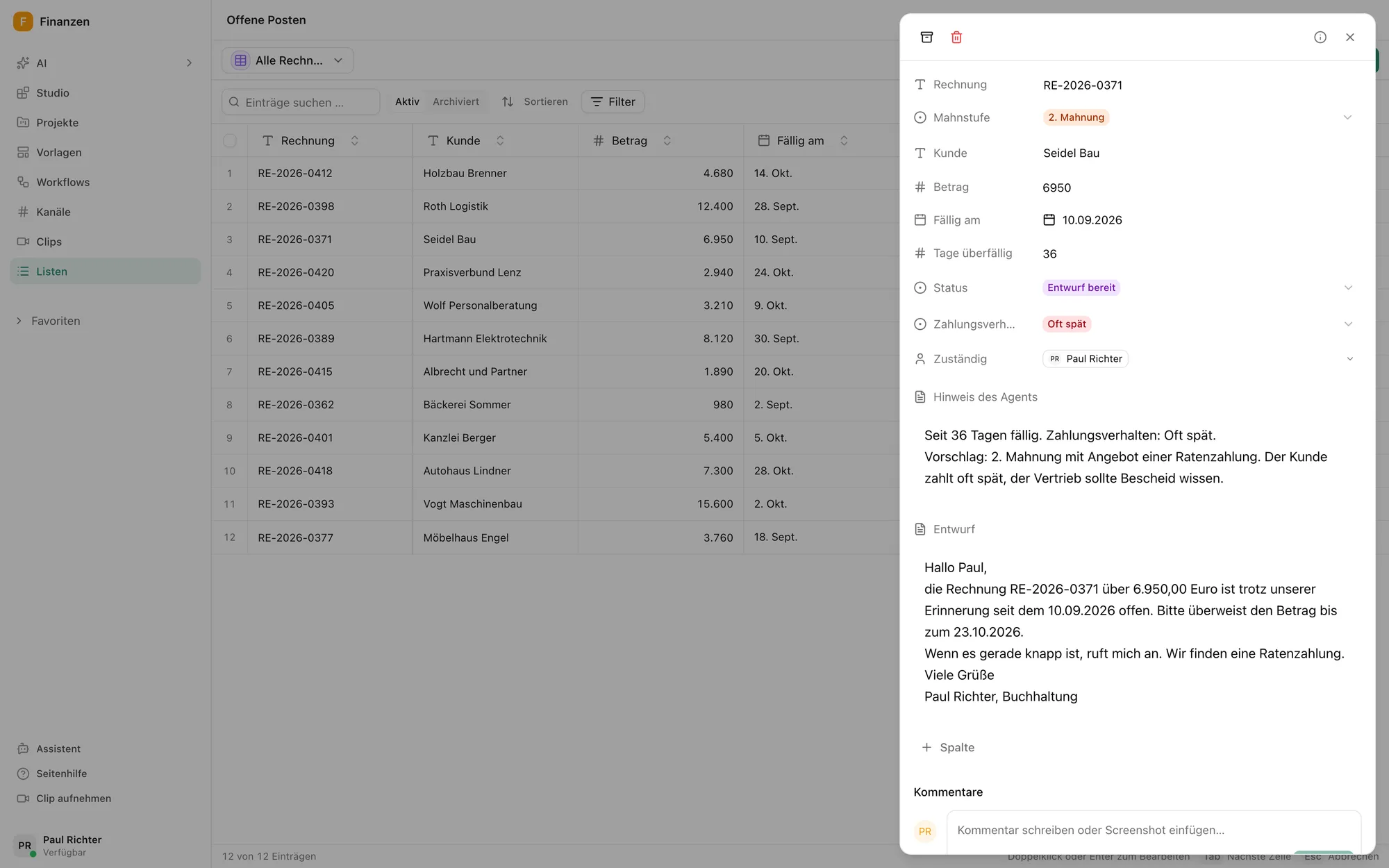
An invoice with the suggestion and the draft reminder. -
Step 4: You set levels and tone
Levels, deadlines and tone are in the agent's instructions. No threats, no fees and no debt collection, as long as that is how you want it. It may not send anything.
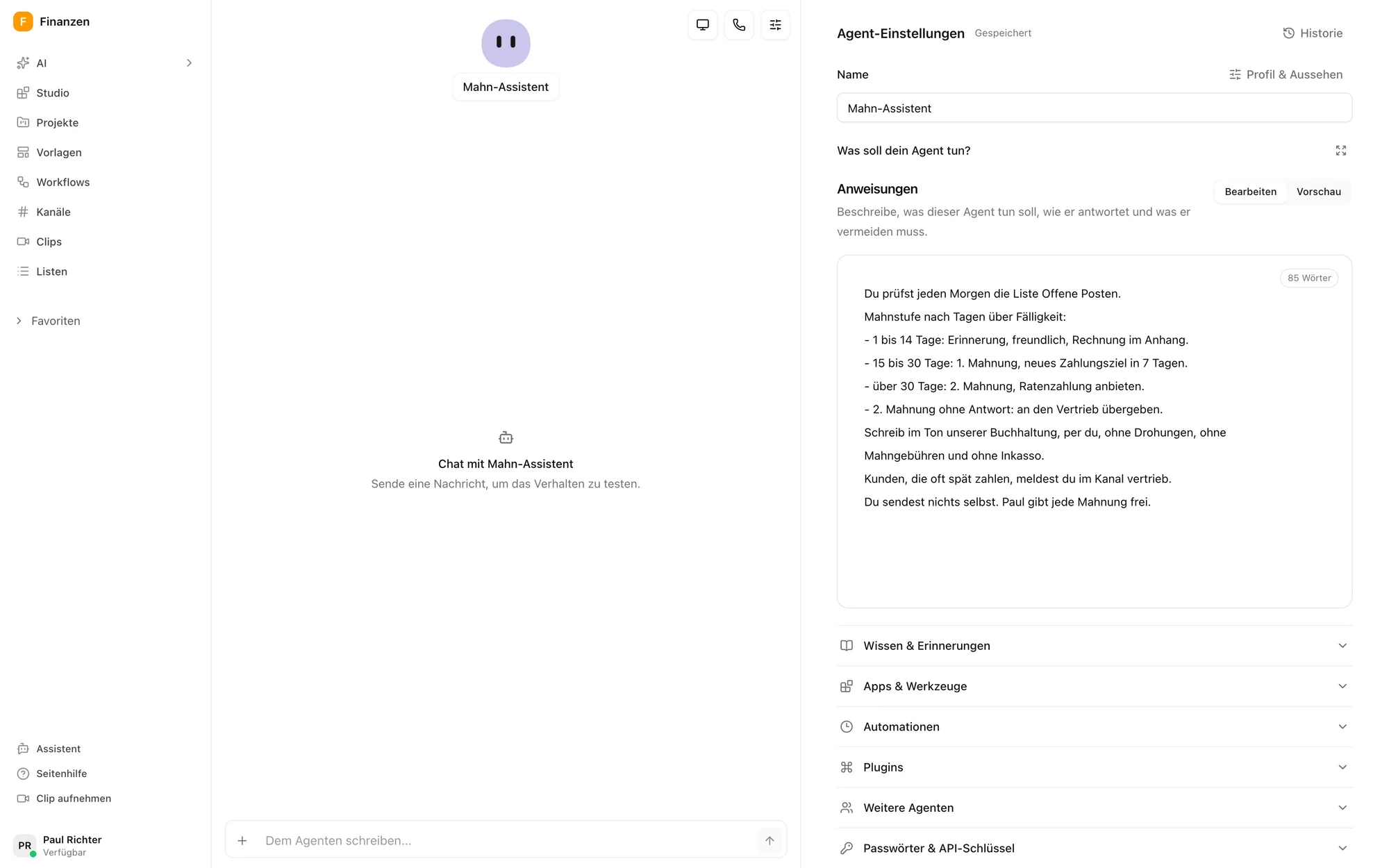
The agent's instructions with levels, deadlines and tone. -
Step 5: Sales knows first
If a customer often pays late, the agent says so in the sales channel before the reminder goes out. Then sales calls instead of being surprised by it.
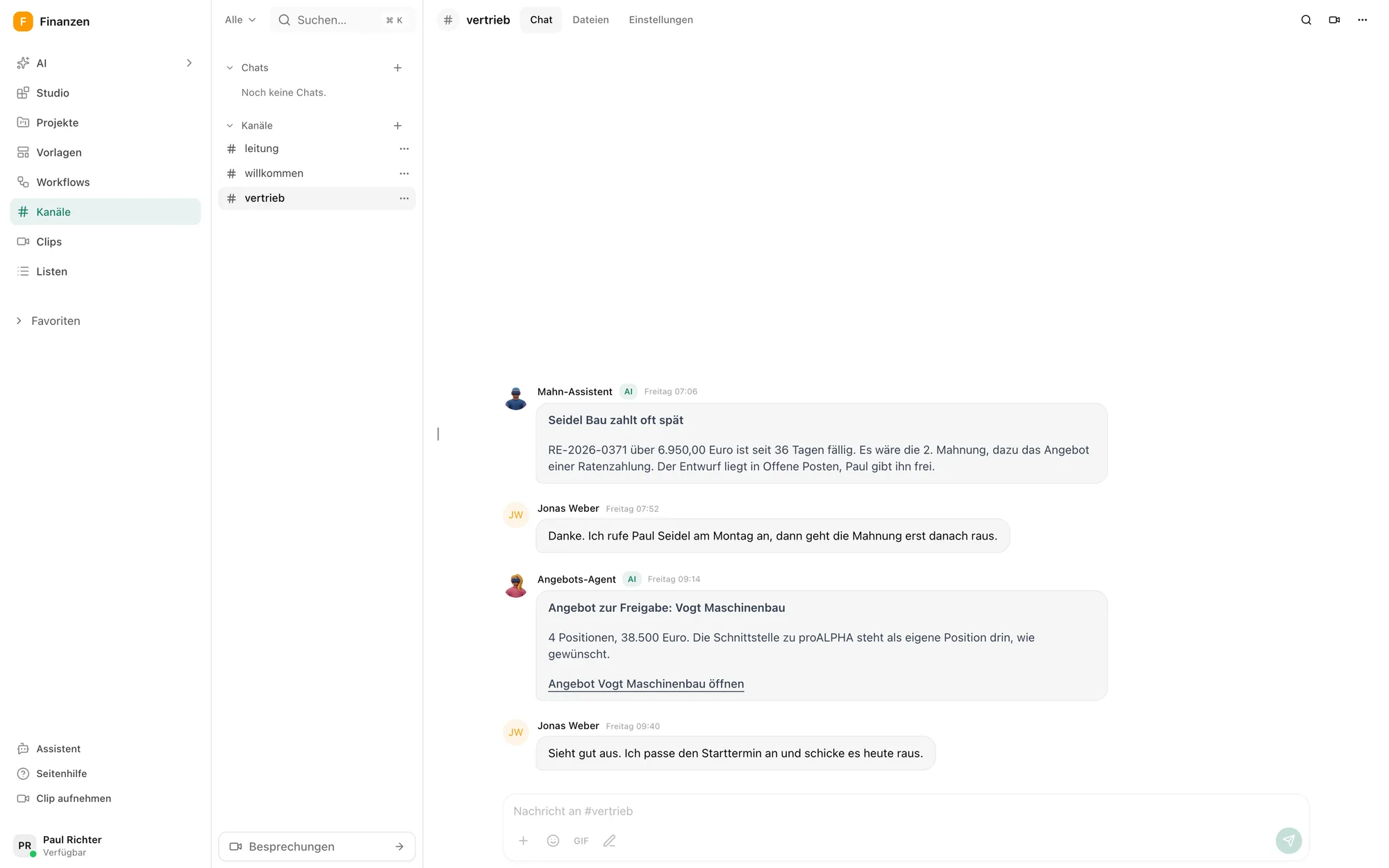
The note in the sales channel, with the reply from sales.
What the agent does not do
It prepares. Nothing goes out without approval.
More use cases
Questions about the dunning process
The steps that get open invoices paid: tracking due dates, sending reminders and notices, and agreeing a payment plan when needed. In Pharen Hub an agent prepares these steps every morning.
Technically yes, a workflow can send emails. In this setup accounting approves every reminder before it goes out.
From your accounting, for example as an Excel or CSV export that you load into the open invoices list via import and export.
As often as the schedule says. In this example every weekday at 7 am.
Pharen runs the Hub on Hetzner Cloud in Germany. On request it runs on your own servers.
What are your plans for AI? Let's talk about it.
Whether it is strategy, training or delivery, you talk to our founder Johannes for 30 minutes. There is nothing to prepare.

We have already worked with more than 50 clients.
How the call works